Blog
All Blog Posts | Next Post | Previous Post

 Install third-party Delphi libraries with TMS Smart Setup
Today
TMS Smart Setup
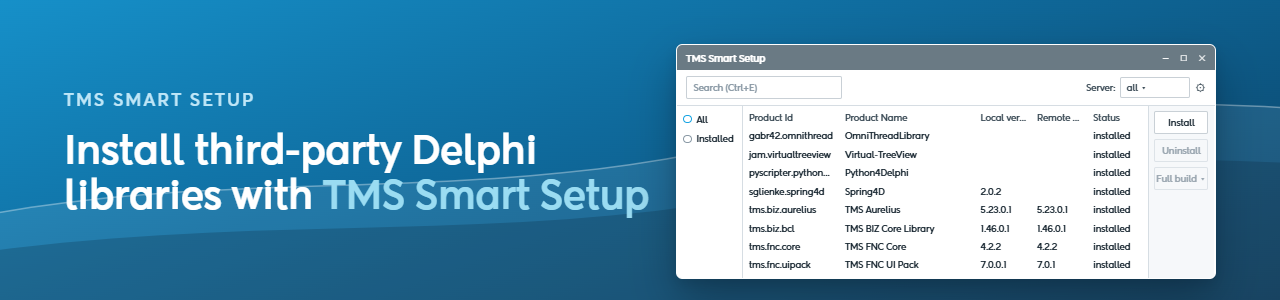
TMS Smart Setup installs more than TMS products. Since version 2.0 it comes with a community registry: a public list of Delphi libraries by other authors that Smart Setup fetches, builds and installs from source.
The newest entry is MARS-Curiosity, the open source REST library for Delphi by Andrea Magni. You write plain Delphi classes, add attributes, and MARS handles routing, parameter binding, serialization and authentication. From version 1.8 on, MARS installs with one command.
Installing a library from the community registry
Third-party libraries come from the community server. With Smart Setup 3.5 or later (download it here), enable that server once:
tms server-enable community trueAfter that, community libraries install the same way as TMS products:
tms install andreamagni.marsTo get the latest version later, run tms update andreamagni.mars. If you prefer the GUI, tmsgui has a server dropdown that lists TMS products, community libraries or both.
What happens when you install MARS
Smart Setup clones the MARS repository and compiles the runtime and design-time packages for every Delphi version it finds, from 10.4 Sydney on, for Win32 and Win64. It then registers the packages in the IDE and adds MARS to the library path. Delphi 10.4 is also the oldest version MARS 1.8 supports.
Besides the new installation option, MARS 1.8 brings MCP Apps and JWT key rotation. Andrea's release post covers both in detail.
Optional dependency: the JOSE backend
MARS has two JWT backends. The default one uses mORMot and needs nothing else. The other uses delphi-jose-jwt by Paolo Rossi, which is also in the registry.
In the MARS build file, JOSE is a weak dependency: the MARS.JOSE package is only built when delphi-jose-jwt is installed. To get it, run:
tms install paolo-rossi.delphi-jose-jwtThe order doesn't matter. If you install JOSE after MARS, Smart Setup rebuilds MARS and adds the MARS.JOSE package.
Want your product in Smart Setup too?
If you build Delphi components or libraries, your users can install them with TMS Smart Setup, just like our own TMS products and MARS. All it takes is a tmsbuild.yaml file in the root of your repository that describes how to build and install your packages. With that file in place, anyone can install your library with tms repo-register, even before it is listed in the registry.
To list it in the community registry, fork smartsetup-registry on GitHub, add your file and open a pull request. We review every submission and help where needed.
To get started, read the guide on creating Smart Setup bundles, which documents each section of tmsbuild.yaml. The files already in the registry show working setups, and this blog post adds VirtualTreeView to the registry step by step in about 20 minutes.
Aäron Decramer
Related Blog Posts
-
TMS Smart Setup is now Open Source!
-
TMS Smart Setup 2.0 — A Major Leap Forward for Delphi Developers
-
TMS Smart Setup v3.1 brings Delphi 13.1 Arm64EC support to TMS products—and raises the bar for the Delphi ecosystem
-
Announcing TMS Smart Setup 3.0... and 3.1... and 3.2... and 3.3!
-
TMS Dashboard updated with TMS Smart Setup v3.3 support
-
TMS VCL UI Pack: Installation, Modernized
-
TMS FNC Family Updated with a New Install Experience
-
TMS Smart Setup is now the way to install TMS products
-
Install third-party Delphi libraries with TMS Smart Setup

This blog post has not received any comments yet.
All Blog Posts | Next Post | Previous Post