Blog
All Blog Posts | Next Post | Previous Post

 Claude Plugin For TMS FNC Datagrid now available
Today
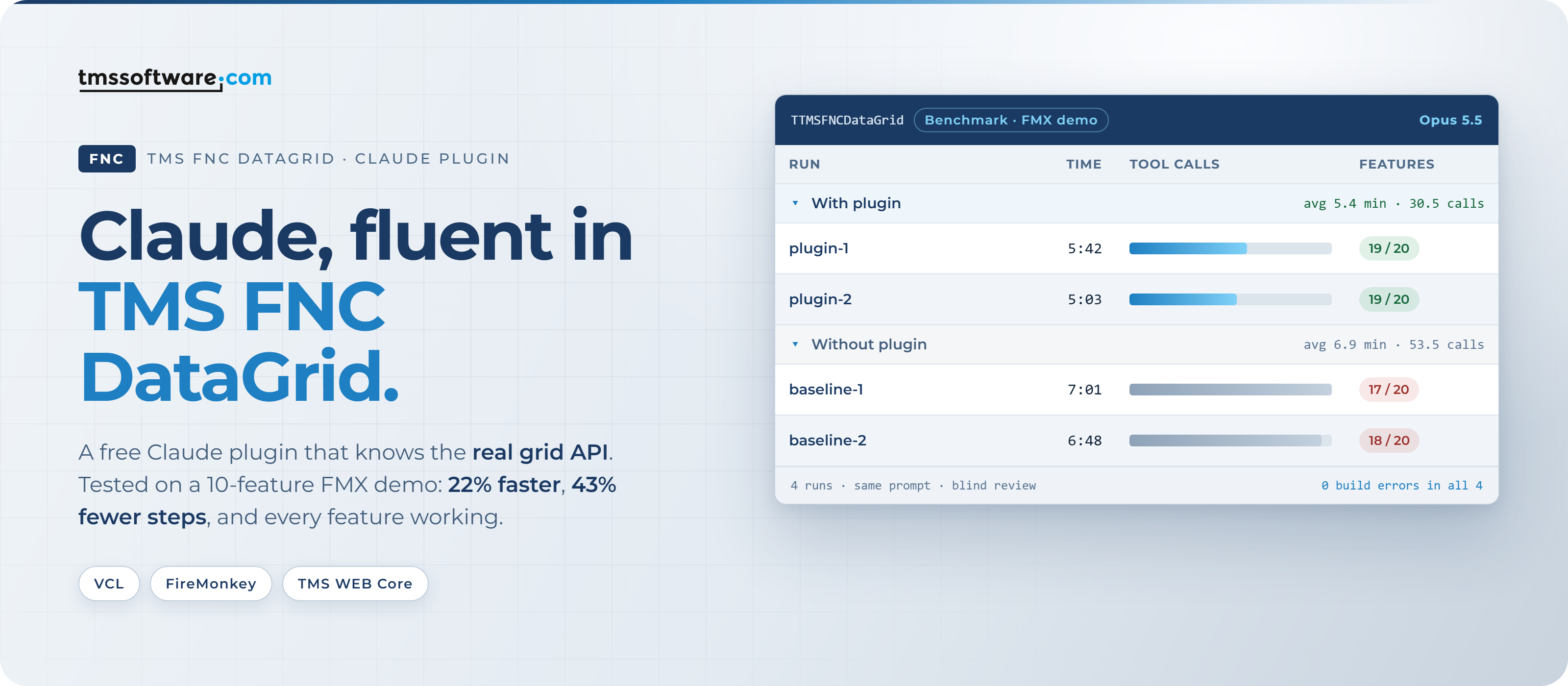
Describe the grid you want, and let Claude build it. With the new TMS FNC DataGrid plugin for Claude, Claude knows the TMS FNC DataGrid inside out: its columns, editors, filtering, grouping, conditional formatting, database adapter and export components. You ask in plain language, Claude writes the code straight into your form.
| 22%faster | 43%fewer tool calls | 33%fewer tokens | 0build errors |
The result is less waiting, fewer steps to follow along with, and grid features that work the first time you run your app.
- Less waiting: in our test Claude finished a full-featured grid demo 22% faster.
- Fewer steps: 43% fewer tool calls, so fewer actions to watch or approve along the way.
- Works first time: the projects built with 0 errors on the first build, and every requested grid feature worked at runtime.
- Goes further on your plan: 33% fewer tokens for the same task, so your Claude usage lasts longer.
How to install it
There are two ways to get the plugin. Both give you exactly the same plugin.
Option 1: the public Claude plugin directory (coming soon)
We've submitted the plugin to Anthropic's public Claude plugin directory. Once it's listed, you'll find TMS FNC DataGrid there and add it to your Claude account with one click. It's then available in Claude Code, the Claude desktop app and Cowork, without typing a single command. We'll announce it here as soon as it's live.
Option 2: our marketplace on GitHub (available today)
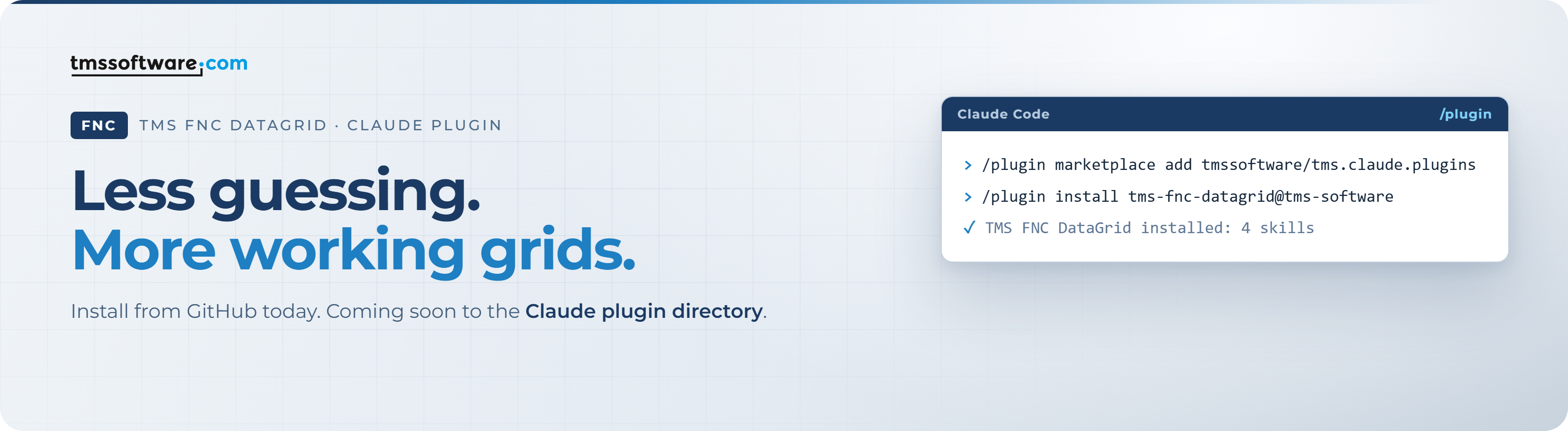
Don't want to wait? The plugin is already available from our public plugin marketplace on GitHub. In Claude Code, run:
/plugin marketplace add tmssoftware/tms.claude.plugins
/plugin install tms-fnc-datagrid@tms-software
That's all. There's nothing to configure and you don't have to mention the plugin in your prompts: as soon as you ask Claude to work on a TMS FNC DataGrid, it uses the plugin by itself.
Just ask
The plugin adds four skills. Use them by name, or simply describe what you want:
- Get started: "Add a TMS FNC DataGrid to my main form with some sample products." Claude detects whether your project is VCL, FMX or TMS WEB Core and adds a working grid with data.
- Unlock a feature: "Group the grid by Category and show a total per group." Pick from grouping, a filter row, conditional formatting, checkboxes and progress bars in cells, merged cells, database binding, master-detail, and Excel, PDF or print export. Claude asks one or two questions about your data and writes the feature into your form.
- Review: "Check my grid code." Claude goes through your existing grid code and suggests improvements.
- DataGrid knowledge: works in the background whenever you or Claude touch TTMSFNCDataGrid code.
Not just simple tasks
Adding a grid with a few rows is easy. The plugin really pays off on bigger requests, the kind that normally take an afternoon of reading documentation and trying things out. Here is the request from our benchmark, written the way you would type it yourself: ten grid features in a single prompt. The numbers mark its parts, explained below.
Here is what each part of the prompt does, and what the plugin brings to it:
1 The goal One sentence sets the scope: what to build, for which framework, and with which control. With the plugin: Claude knows the FireMonkey units and how to create and set up the grid, so it starts writing code right away. |
2 Realistic data Text, numbers, a boolean and a date give every feature that follows something real to work on. With the plugin: typed columns are filled the right way, so prices sort as numbers and dates as dates. |
3 Sort, filter, group The three features users expect from any data grid, all switched on at once. With the plugin: Claude knows the options for multi-column sorting, the filter row and grouping with expand/collapse, and how they work together. |
4 Formatting and cell controls Cells coloured by their value, plus a checkbox column and a progress bar column. With the plugin: Claude knows how to give columns their type and editor at runtime and how to write formatting rules per column. |
5 Editing and merged cells In-place editing with a validation rule, and merged cells where they add meaning. With the plugin: Claude knows the editing and validation events, and the right way to merge cells in a grid with header rows. |
6 Export and toolbar Excel and PDF export, plus buttons to switch grouping on and off and clear all filters. With the plugin: Claude picks the right export components, exports the whole grid and wires up the toolbar actions. |
7 Build until it works A project name, and the instruction to build and keep fixing errors until it compiles. Why it's there: Claude checks its own work and hands you a project that compiles. Give it your own build command and it does the same in your projects. |
|
Write your own prompts the same way
Say what to build and for which framework, list the features you want, and tell Claude how to check its work. The plugin takes care of the how. The same approach works for even bigger requests, such as:
- "Show my FireDAC customers in one grid and their orders in an editable grid below it."
- "Group by country, then by city, with a count and an average per group."
- "Expand each order row to show its order lines in a nested grid."
- "Give the grid our corporate look: navy header, zebra rows, currency formatting and a totals footer."
Same polished result, less waiting
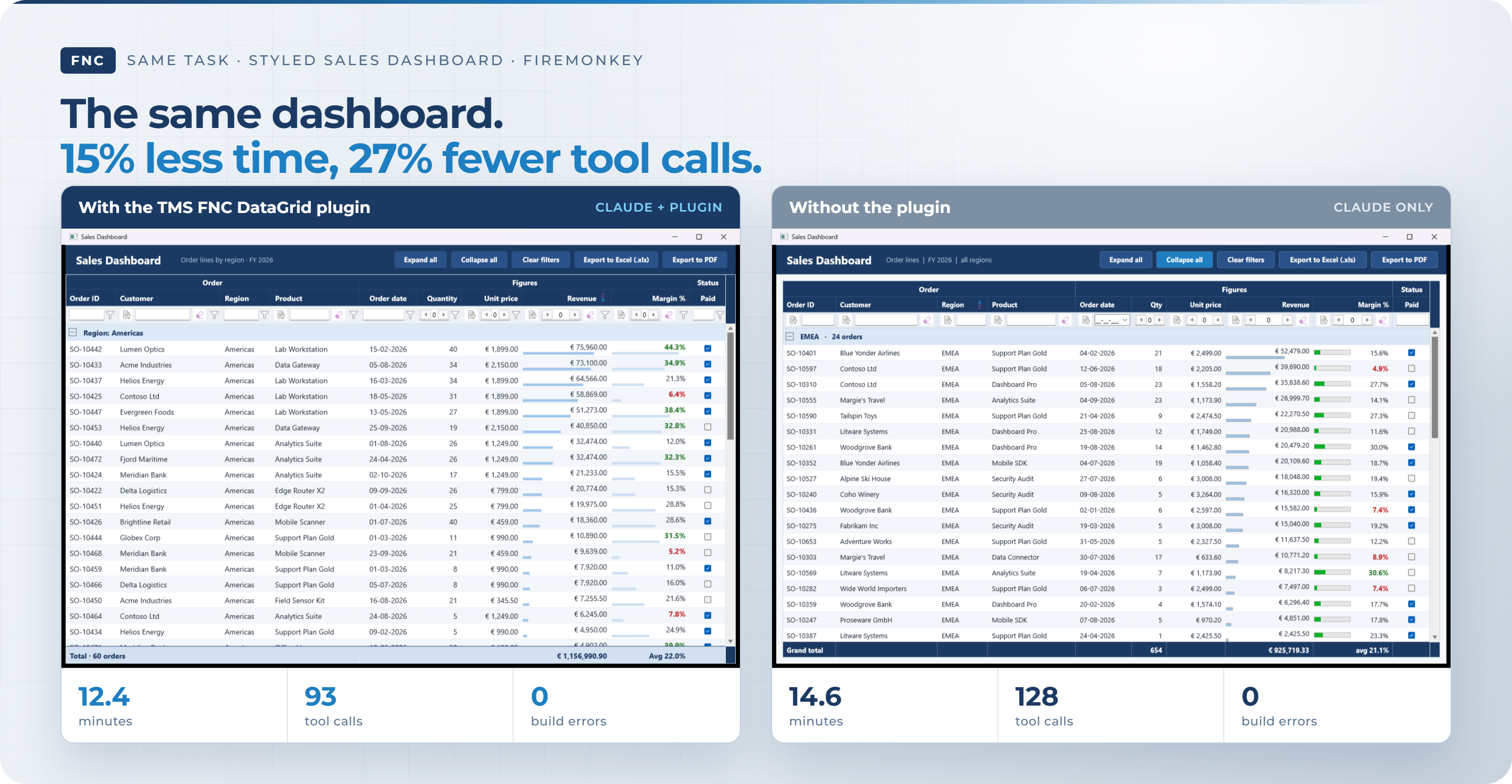
To see what that looks like in practice, we asked Claude for a styled Sales Dashboard in FireMonkey, once with and once without the plugin. The brief covered order lines grouped by region with revenue totals, a filter row, colour-coded margins, data bars, a checkbox column, a merged band header, a totals footer, a navy corporate style and Excel and PDF export buttons.
Both versions ended up looking professional. With the plugin, Claude got there in 12.4 minutes and 93 tool calls, including two short follow-up prompts to fine-tune the Paid column and the footer. Without the plugin it took 14.6 minutes and 128 tool calls. Same dashboard, less time spent waiting and following along.
Faster, with less effort: the numbers
We gave Claude the same assignment with and without the plugin: build a new FireMonkey demo of the DataGrid with ten features, from sample data, sorting, a filter row and grouping to conditional formatting, cell controls, editing, merged cells, and Excel and PDF export. Claude had to keep going until the project compiled with Delphi 13. We then rebuilt every project and checked every feature.
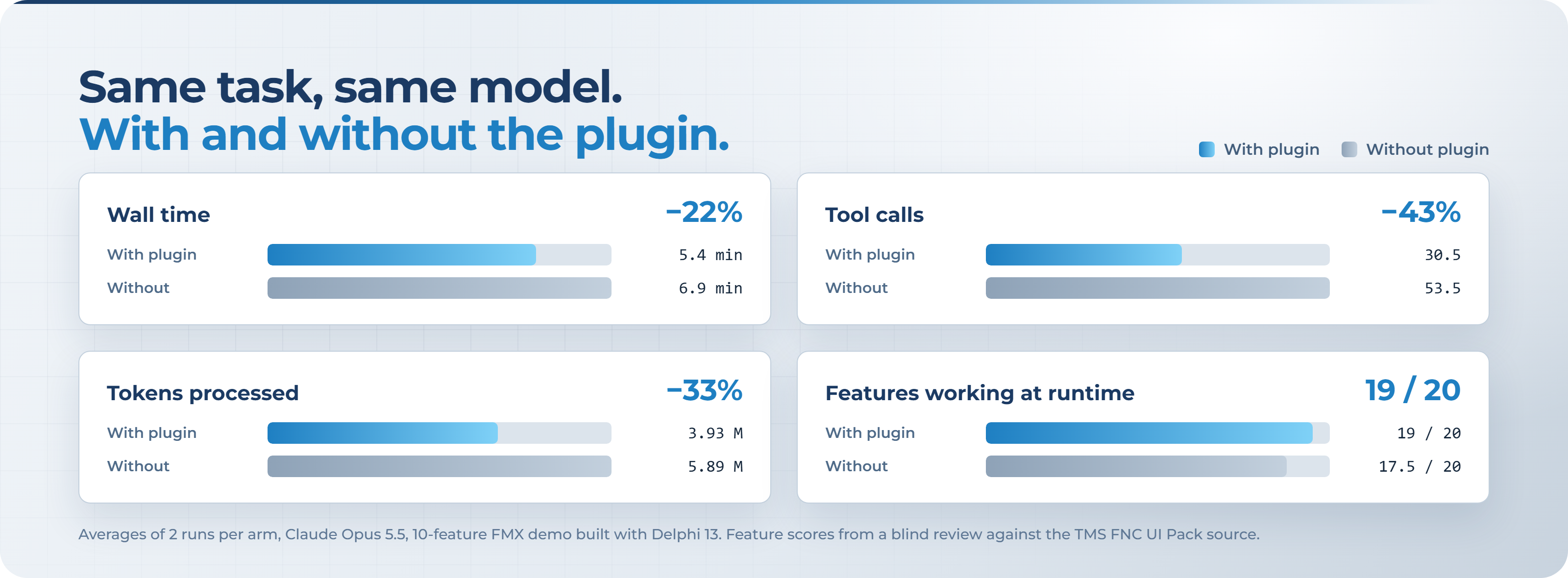
| Average per run | With plugin | Without plugin | You gain |
|---|---|---|---|
| Time until the demo was finished | 5.4 min | 6.9 min | 22% faster |
| Tool calls (file reads, searches, edits, builds) | 30.5 | 53.5 | 43% fewer |
| Tokens used | 3.93 million | 5.89 million | 33% fewer |
| Estimated cost (relative) | 0.80 to 0.84× | 1× | 16 to 20% lower |
| Grid features working at runtime | 19 / 20 | 17.5 / 20 | more features that just work |
Why the difference? Without the plugin, Claude has to search the grid's source code for every property name, event and option before it can use them. With the plugin, it already knows them. That means fewer detours, less time watching Claude look things up and more time seeing your grid come together.
Good to know
The plugin works with VCL, FireMonkey and TMS WEB Core projects and needs the TMS FNC UI Pack installed in your IDE. If it isn't installed yet, the Get started skill explains how to install it with TMS Smart Setup. The plugin only adds knowledge and instructions for Claude: it runs no code of its own and sends no data to TMS Software. Benchmark figures are averages of two runs with and two runs without the plugin, using Claude Opus 5.5.
What's next
The TMS FNC DataGrid is the first product with its own Claude plugin, and our marketplace is ready for more. We plan to cover more TMS products the same way. Let us know in the comments which one you'd like to see next.
Try it today
Install the plugin, ask Claude to add a grid to your next form, and see the difference for yourself:
- Install today from GitHub: tmssoftware/tms.claude.plugins
- Soon in the Claude plugin directory
- The TMS FNC DataGrid documentation
- The TMS support forum
Over to you
We'd love to hear what you think. Leave a comment below and tell us:
?Would you use this plugin in your own Delphi projects?
?Do you already use Claude plugins in your daily work?
?Which LLM do you use for coding: Claude, GPT, Gemini or something else?
?Which TMS product should get its own plugin next?
Every comment helps us decide where to take the plugins next.
TMS FNC UI Pack brings more than 70 cross-framework components to VCL, FireMonkey and TMS WEB Core, including the TMS FNC DataGrid with sorting, filtering, grouping, conditional formatting, database binding and Excel/PDF export. Learn more about TMS FNC UI Pack.
Bradley Velghe

This blog post has received 1 comment.
All Blog Posts | Next Post | Previous Post
stephane.wierzbicki