Blog
All Blog Posts | Next Post | Previous Post

 Translate Your Delphi Application with Ease - Introducing TMS FNC Localization BETA
Thursday, September 3, 2026
 When starting a new application, supporting multiple languages can easily end up somewhere near the bottom of the priority list. And when localization is added later to an existing or even long-running application, suddenly there are captions, messages, dialogs and other texts scattered all over the project that all need to be found, translated and kept in sync.
How do you collect all those texts? How do you keep translations organized? And how do you apply them to your application? This is exactly the kind of problem we like to solve with easy-to-use components!
Today, we are very excited to introduce a brand-new product entering BETA: TMS FNC Localization.
From a Real-World Need to TMS FNC Localization
For readers who have been following our blog, the name Erwin Denissen might already sound familiar.
Erwin is the developer behind FontCreator from High-Logic, which we featured earlier in one of our customer showcase blog posts. As part of his own software development, Erwin also ran into the challenges that come with adding and maintaining localization in an application.
Not finding a solution that matched the workflow he was looking for, he started building his own.
What began as a solution for his own needs eventually brought Erwin and TMS Software together. We saw a lot of potential in his work, and from that cooperation the project grew further into the product we are presenting today as TMS FNC Localization.
We want to explicitly thank Erwin for the work, ideas and experience he has contributed to making this possible!
Collect, Translate, Apply!
At its core, TMS FNC Localization is built around a straightforward workflow: collect the texts, translate them and apply the selected language. Instead of having to build the complete localization infrastructure yourself, you get dedicated components for each step!
Collect
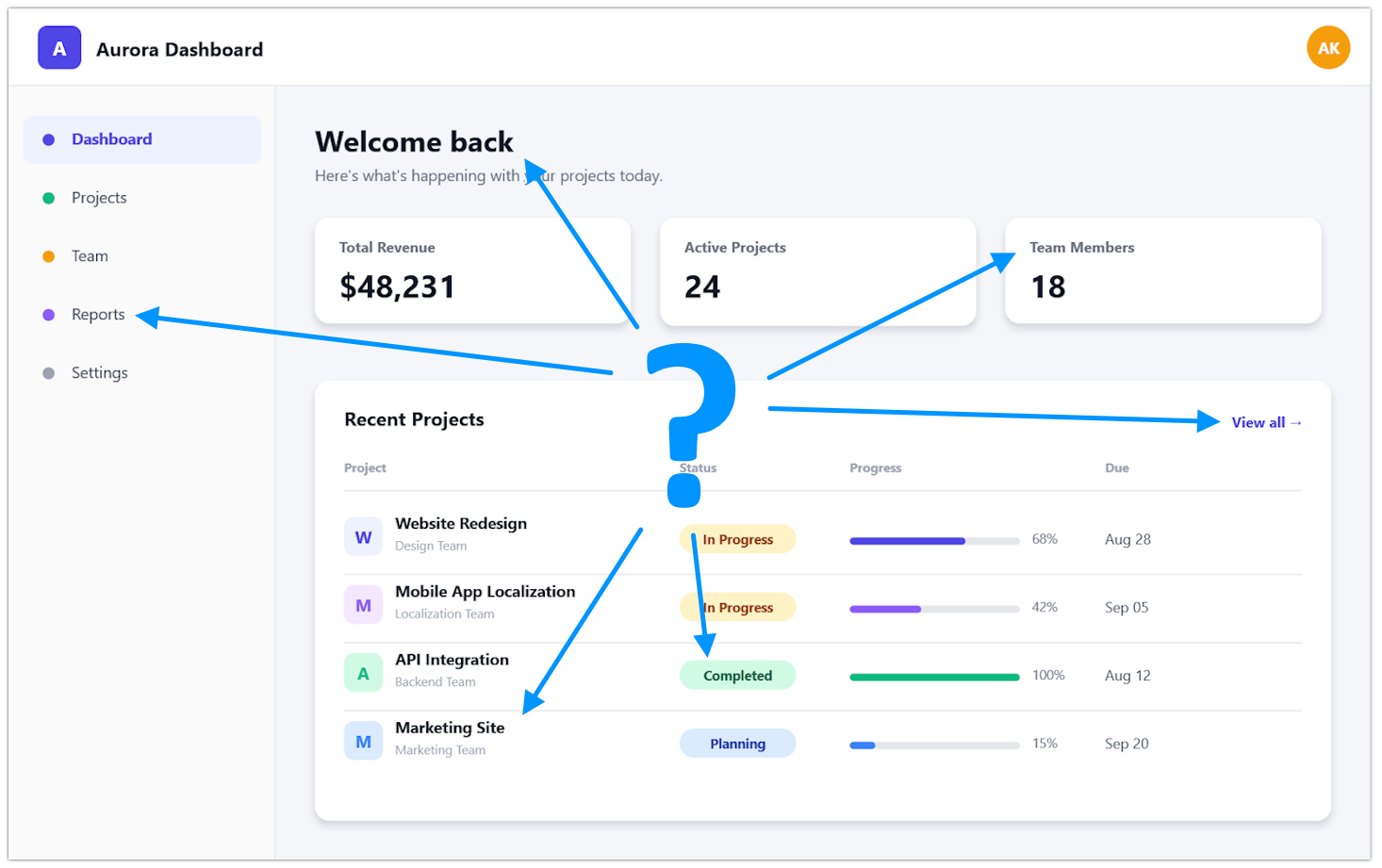
The first challenge is finding everything that needs to be translated, especially in an existing application. The TTMSFNCLocalizationCollector helps gather localizable content from your application instead of forcing you to manually hunt down every caption and text property.
//Analyze and collect the application - only applies to live forms
TMSFNCLocalizationCollector.AnalyzeApplication;
//Analyze and collect a given form
TMSFNCLocalizationCollector.AnalyzeForm(Self);
Translate
Once the strings have been collected, they need to be managed and translated.
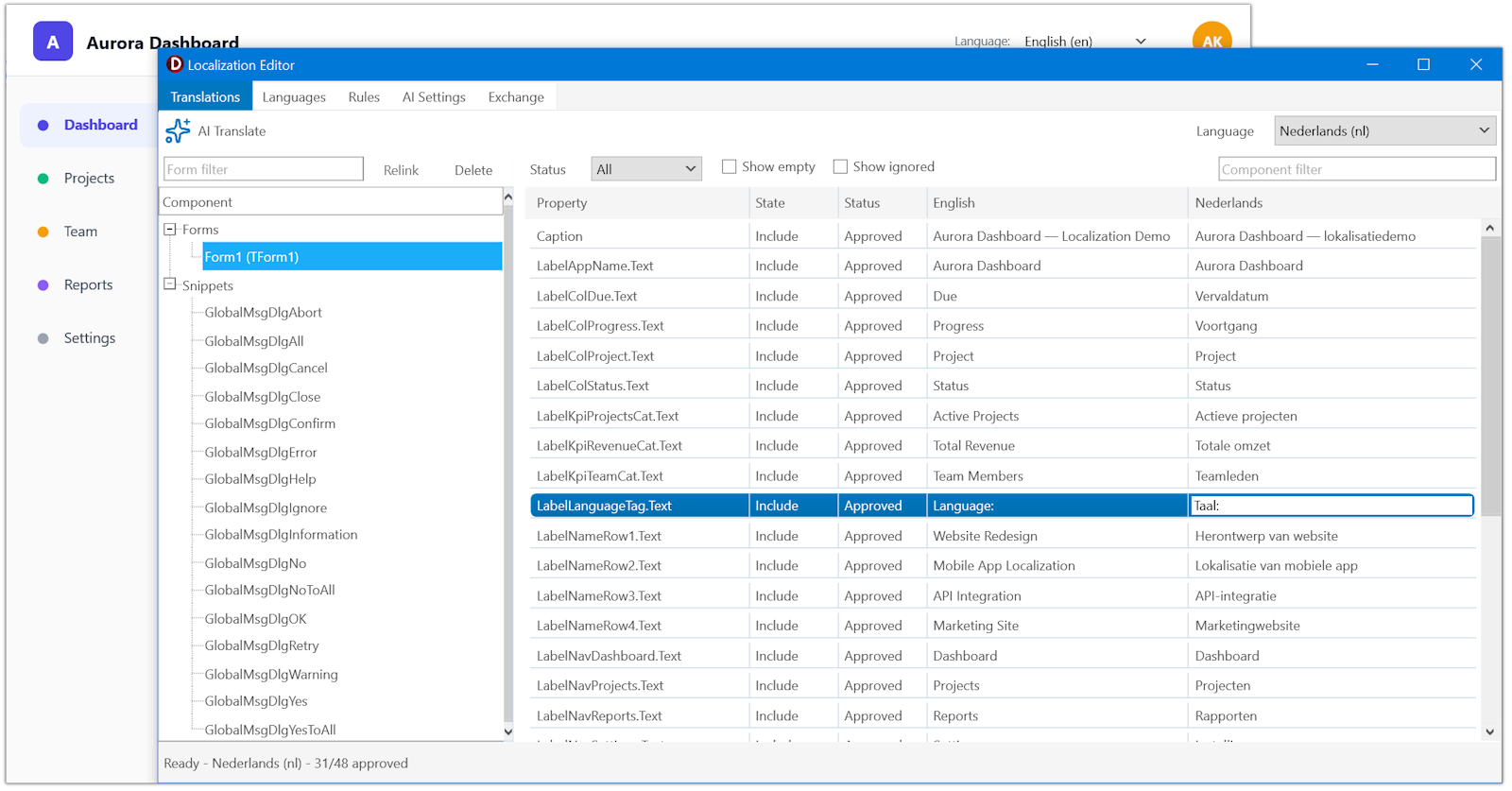
The TTMSFNCLocalizationEditor provides an easy way to work with the collected texts and the translations for the different languages. Opening the editor at runtime comes with the benefit of being able to see the translation changes immediately in your running application.
TMSFNCLocalizationEditor.Execute;
Alternatively, open it at design time from the context menu of the TTMSFNCLocalizationCollector or any TForm. When the editor is triggered at design time, you can also see which forms haven't been discovered yet!
What if you don't want to manually translate every item? Use the optional AI assistance to generate translations and you'll only need to verify the results! We've added support for a variety of AI services that you can use with your API key. These include OpenAI, Claude, Gemini, Grok, Mistral and DeepSeek. If you prefer local models, we have you covered via Ollama and llama.cpp.
Would you rather leave it to a professional? XLIFF export and import support is available, allowing you to outsource the work to professional translators using their own tools!
To help keep translations reliable, TMS FNC Localization comes with built-in automatic text validation for format specifiers, placeholders, accelerator keys, line breaks and whitespace, whether translations are entered manually, imported or generated with AI. It supports plural-aware translations as well, allowing the correct wording to be used depending on the quantity being displayed. This is especially useful for languages where pluralization rules go beyond a simple singular-versus-plural distinction.
On top of editing and verifying the translations, the TTMSFNCLocalizationEditor also lets you manage the list of languages you want to support, along with a set of exclusion rules for what should not be collected. Using the editor also means collection happens automatically, no need for additional code!
The editor keeps the translation process separate from the application itself. Adding another language or updating an existing translation becomes a matter of maintaining the localization data instead of changing forms or source code.
Apply
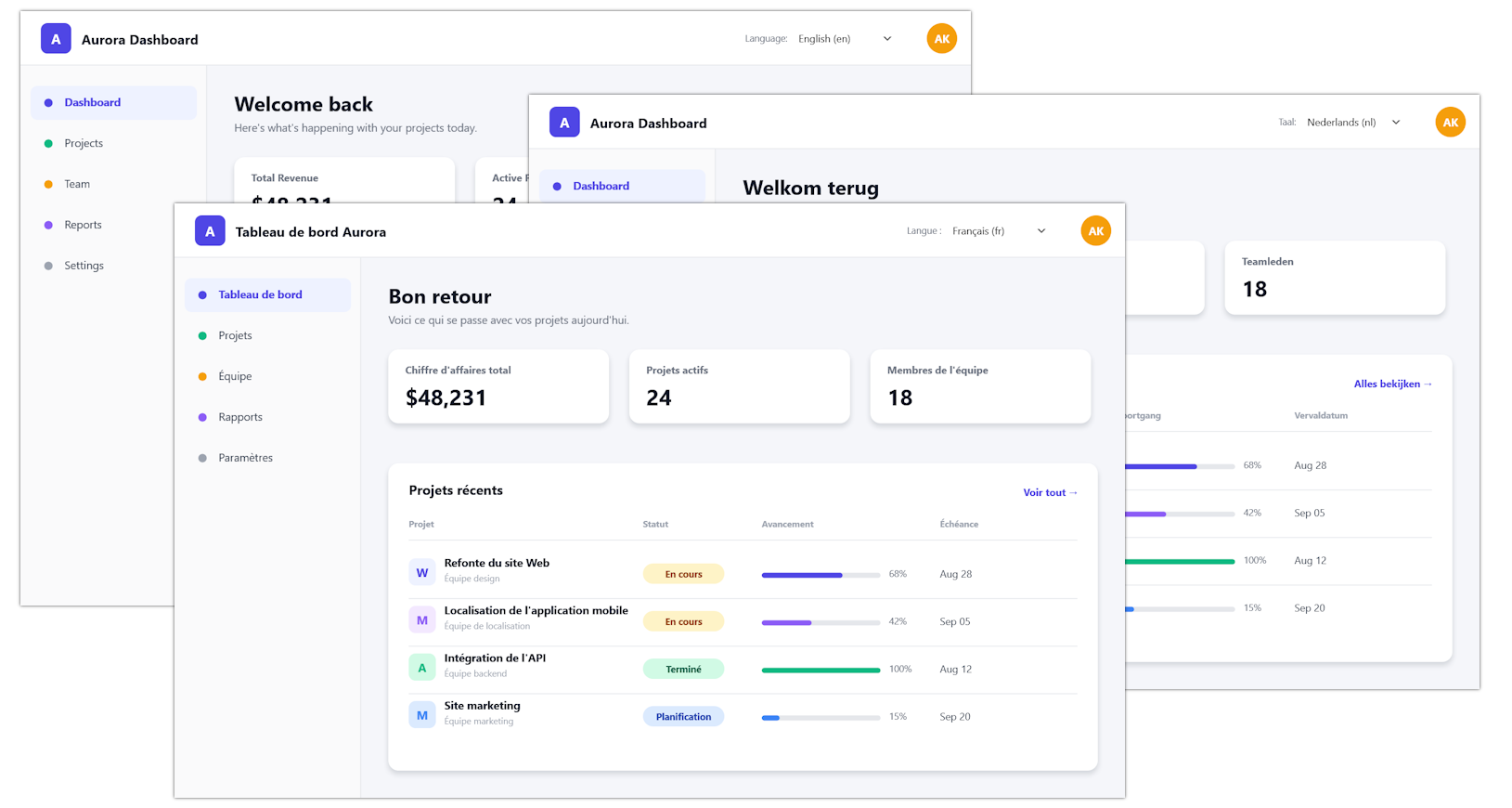
Finally, the TTMSFNCLocalizationLocalizer takes care of applying the selected language to the application! Point it to the folder where the localization files live, and calling the simple TrySetLocale method will immediately switch to the target language. This gives you fine control over when and how a language is set. If you'd rather hand that choice to your users, TMS FNC Localization ships with a ready-made language picker, TTMSFNCLocalizationCombobox, that you can drop straight into your forms!
Together, these components turn localization into a repeatable workflow instead of a one-off solution. When another language needs to be added later, you can simply repeat the same step again!
New or Existing, Localization Fits
Of course, the easiest moment to think about localization is before writing the first line of an application. From the start, you can keep your strings in one place with TTMSFNCLocalizationStringCatalog. That way you can keep everything organized, central and easy to collect.
That said, one of the goals behind TMS FNC Localization is to make localization approachable not only for new projects, but also for applications that already exist. Localization no longer has to be an all-or-nothing decision made on day one. You can introduce it gradually and grow it as the application grows.
Get Started with the BETA
TMS ALL-ACCESS users can start experimenting with TMS FNC Localization today! The BETA is available through TMS Smart Setup, making it easy to add the product to your development environment and keep up with new BETA versions as they become available.
To help you get started, we have included demos with the installation and prepared documentation covering both the component API and the overall workflow. Click here to open it on our new TMS Documentation site, the new home for all TMS product documentation.
Help Us Shape TMS FNC Localization
Localization requirements can differ significantly between applications, and feedback from developers using the product on real projects is extremely valuable.
If you are an ALL-ACCESS user, we encourage you to put it to work! Try it on a new application or, even better, try it on that older project that someone has just decided needs to conquer three new markets. Let us know what works well, what could work better and what is missing from your localization workflow!
Feedback and findings can be shared with us through the dedicated TMS Support Center category. We are looking forward to seeing what you build with it and in how many languages!
Tunde Keller

This blog post has not received any comments yet.
All Blog Posts | Next Post | Previous Post