Blog
All Blog Posts | Next Post | Previous Post

 A New Home for TMS Documentation
Friday, July 10, 2026
Intro
Documentation is where most developers meet a component for the first time. It should be fast to browse, honest about what the control does, and easy to read at 8 a.m. or midnight. That is why we have rebuilt the TMS documentation from the ground up: a single, modern site with a consistent structure, real screenshots, full-text search, and code you can copy straight into a project.
The new site lives at doc.tmssoftware.com. Each product family is its own self-contained site, so TMS FNC UI Pack and every other product share the exact same look, navigation, and search — while still deploying independently.
What Is New
One consistent structure: every product has an Overview, a Components catalog, Product Guides, Release Notes, and a full API Reference in the same order, so once you learn one product you know them all.
Task-oriented guides: instead of a wall of property names, guides explain why and when to use a feature, with a runnable example for every workflow.
Qt-style API reference: each class page shows unit family, inheritance, implemented interfaces, and grouped properties, methods and events — with inherited API separated from what the class itself declares.
Light and dark themes: a single click switches the whole site, and the screenshots switch with it.
Full-text search: instant results across guides, API and pages, faceted by type.
Real, verified content: screenshots are captured from the live control, and code snippets are checked against the current source.
One Look, Light or Dark
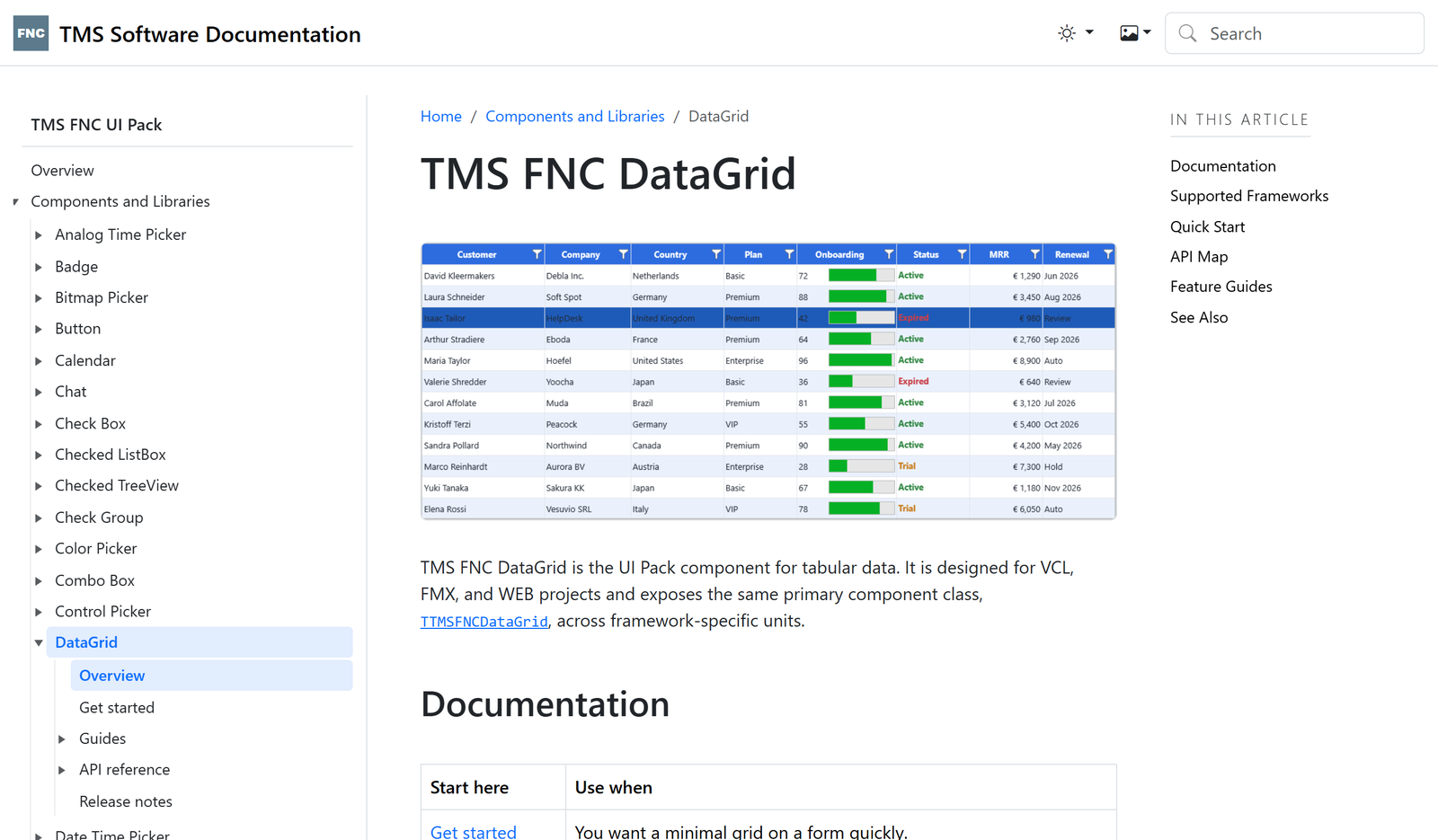
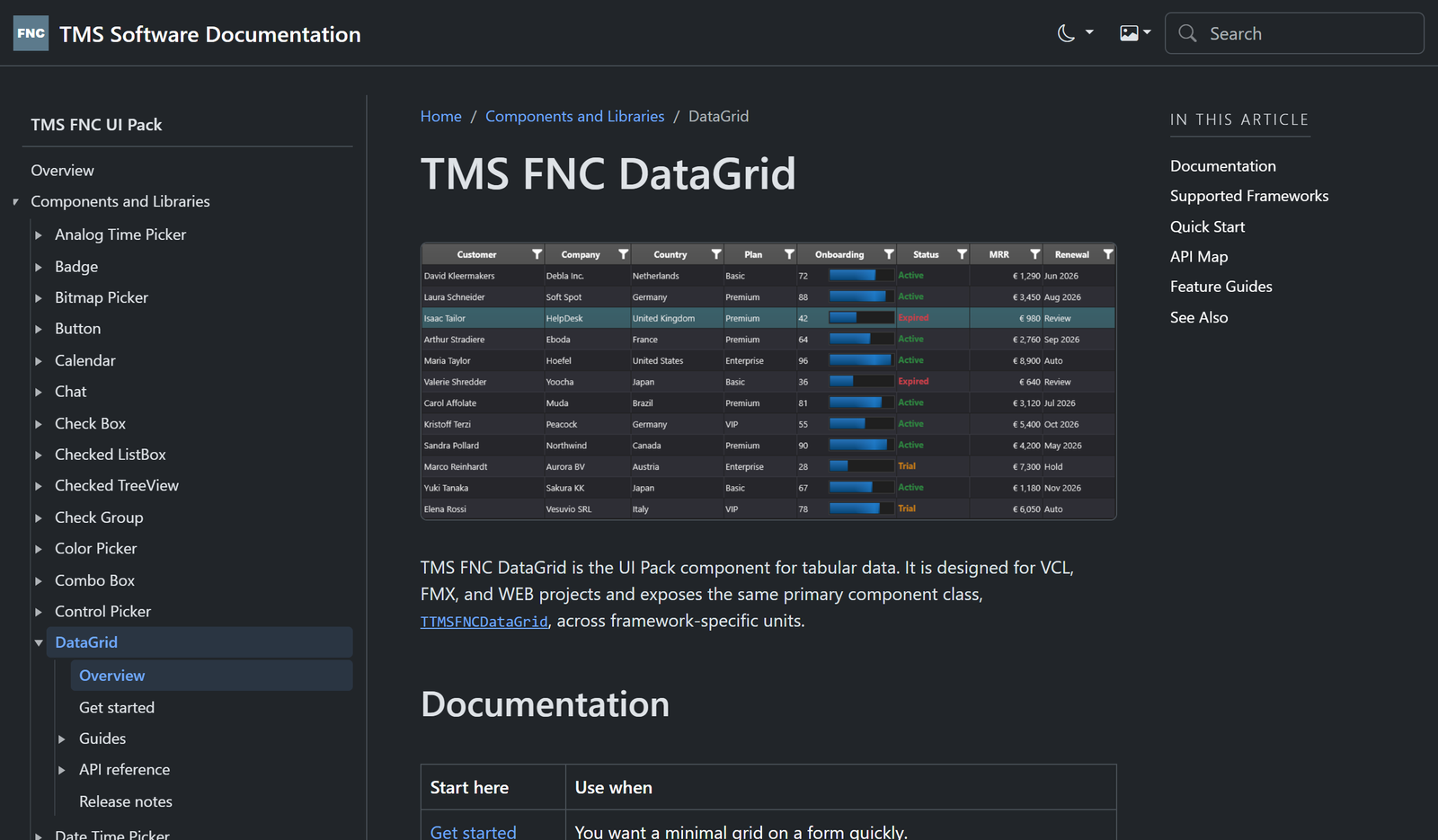
Here is the same page — the TMS FNC UI Pack Data Grid landing page — in both themes. Notice the consistent frame: the product catalog on the left, breadcrumbs and content in the middle, an “In this article” outline on the right, and search plus the theme toggles in the top bar. The hero screenshot even follows the theme you pick.
Guides That Teach
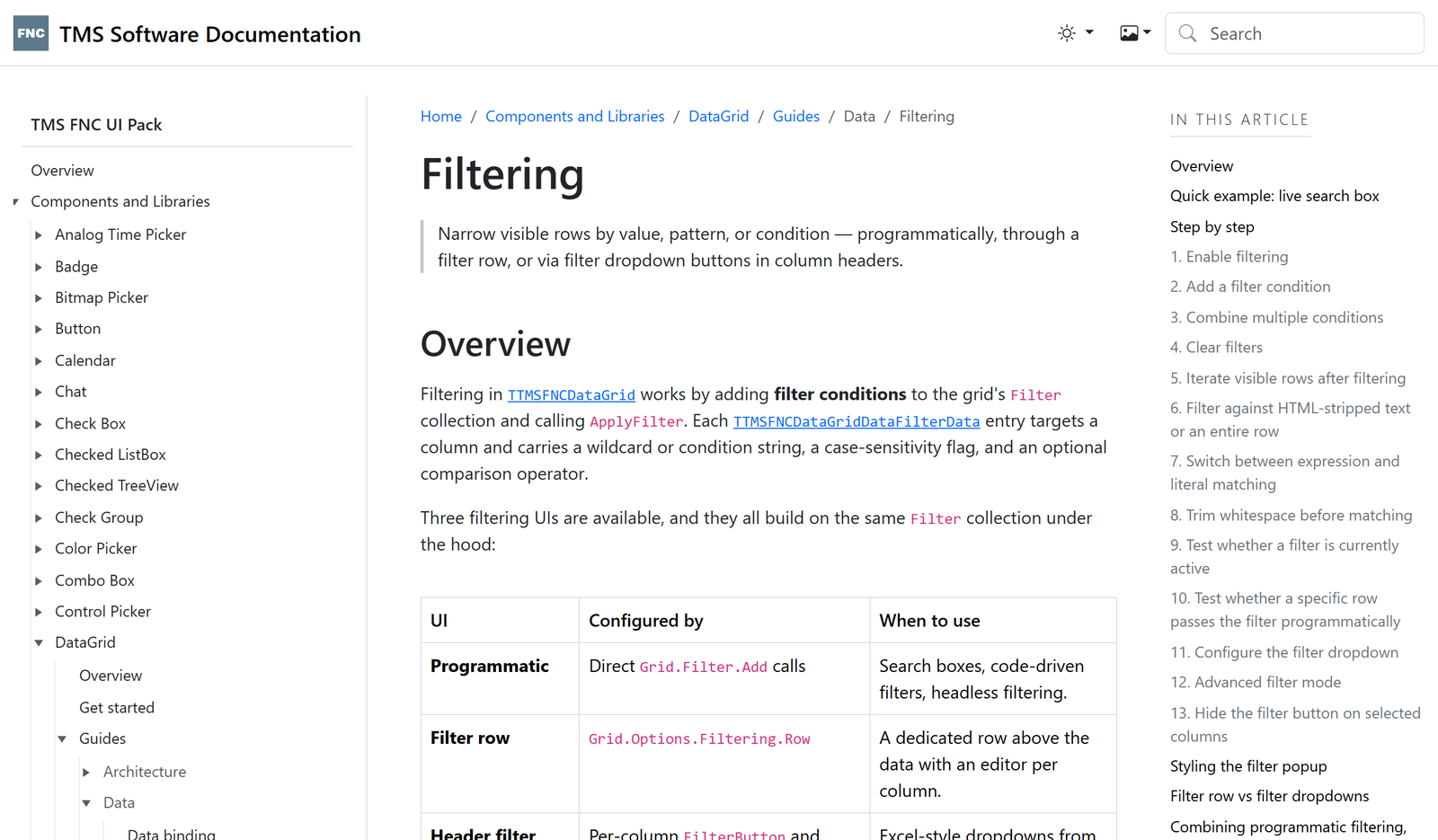
Feature guides are the heart of the new docs. They open with the use case, explain the concepts, and back every workflow with a runnable snippet and a screenshot of the real UI state. The Data Grid Filtering guide, for example, walks from a one-line live search box all the way to Excel-style header dropdowns and advanced filter expressions — with a detailed outline so you can jump straight to the step you need.
And because setup-heavy workflows need more than a property table, every guide backs its explanation with a compilable snippet. Enabling the filter row with header filter dropdowns on the grid looks like this:
procedure TForm1.FormCreate(Sender: TObject);
begin
  TMSFNCDataGrid1.BeginUpdate;
  try
    TMSFNCDataGrid1.Options.Filtering.Enabled := True;
    TMSFNCDataGrid1.Options.Filtering.Row := True;
    TMSFNCDataGrid1.Options.Filtering.DropDown := True;
    TMSFNCDataGrid1.Options.Filtering.MultiColumn := True;
  finally
    TMSFNCDataGrid1.EndUpdate;
  end;
end;
Snippets like this are validated against the current source, so the property paths and call order stay correct as the product evolves.
Search Across Everything
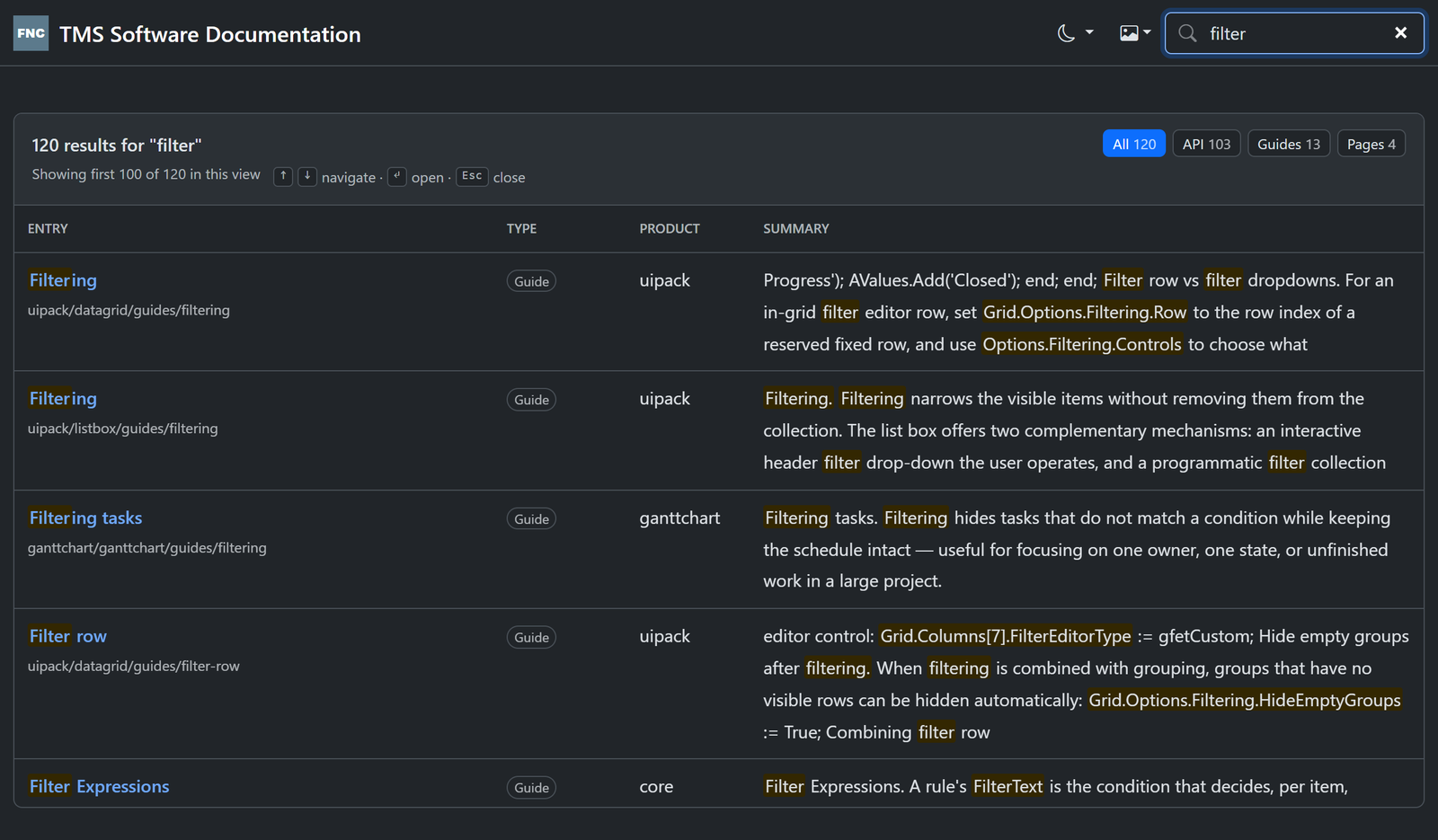
Every family site ships with instant full-text search. Start typing and you get ranked results across guides, API members and pages, faceted by type — with keyboard navigation so you never have to reach for the mouse.
Finding Your Way Around
Each product overview offers two clear routes to the same information:
By component: Overview → Components → the component landing page → its guides and API. Best when you know which control you need.
By API: Overview → API Reference, grouped by component first rather than a flat alphabetical dump. Best when you are looking up a specific class or member.
Component guides live with the component, and cross-cutting topics (JSON persistence, SVG, getting started) live under Product Guides, so a page is always where you would expect it to be.
What Is Next
The new site currently focuses on the TMS FNC product family, which is where we started rolling out the new format. That is only the beginning.
Over the coming period we will be moving the remaining legacy documentation into the new system, including content that today lives in standalone PDF files. As each product is migrated, its guides, examples, and API reference will be rewritten to the same structure — consistent navigation, real themed screenshots, verified snippets, and full-text search — so the whole TMS catalog eventually shares one modern home instead of a mix of older sites and separate PDFs.
Conclusion
The new TMS documentation site is a consistent, searchable, theme-aware home for every product, built so that guides teach, screenshots reflect the real control, and code samples compile. The TMS FNC UI Pack Data Grid pages are a good place to start exploring the new format.
Visit doc.tmssoftware.com and browse the TMS FNC UI Pack section to see it in action.
Pieter Scheldeman

This blog post has received 3 comments.
 2. Monday, July 13, 2026 at 8:58:15 AM
Hi,
2. Monday, July 13, 2026 at 8:58:15 AM
Hi,Not right now, we''ll look into options
Pieter Scheldeman
3. Wednesday, July 15, 2026 at 7:08:33 PM
Just a note, many of those products also have help available offline.For example, if you go to the homepage for FlexCel products has links to download the docs as pdf or chm: https://doc.tmssoftware.com/flexcel/vcl/index.html
And also all biz products: https://doc.tmssoftware.com/biz/aurelius/
And what is even better: Those offline helps are also installed when you install our products. In particular, something that I find very useful but a lot of people doesn''t seem to be aware, is that we also register the chm help in Delphi at install time. So you can for example press F1 over the word "SetCellValue" in the line xls.SetCellValue, and it will show you the help on that method. It is really useful and fast, and it will work perfectly in your mountain house :)
Adrian Gallero
All Blog Posts | Next Post | Previous Post
Is it downloadable for when we work offline? Developing countries, planes, remote mountain house without internet?
Steve JORDI