Blog
All Blog Posts | Next Post | Previous Post

 TMS FNC Localization use case in FontCreator
Today
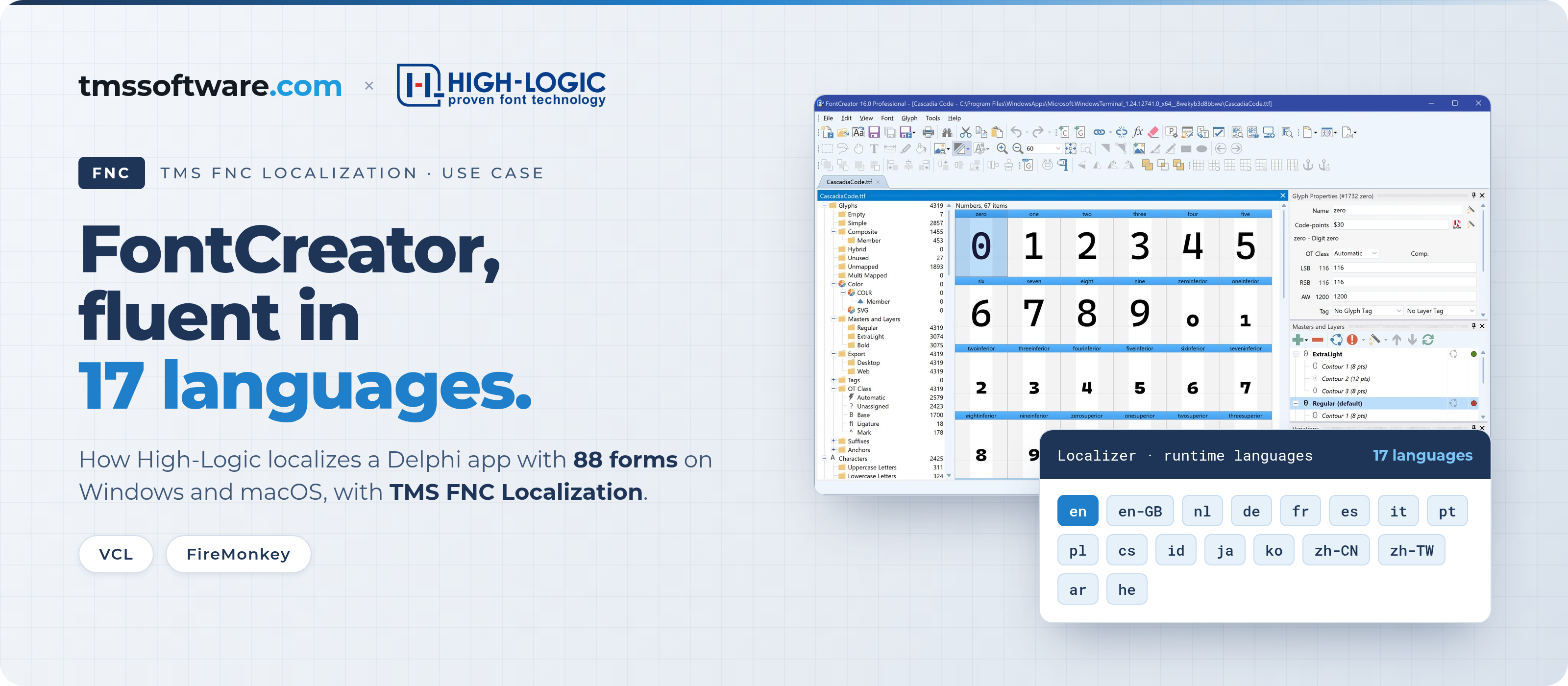
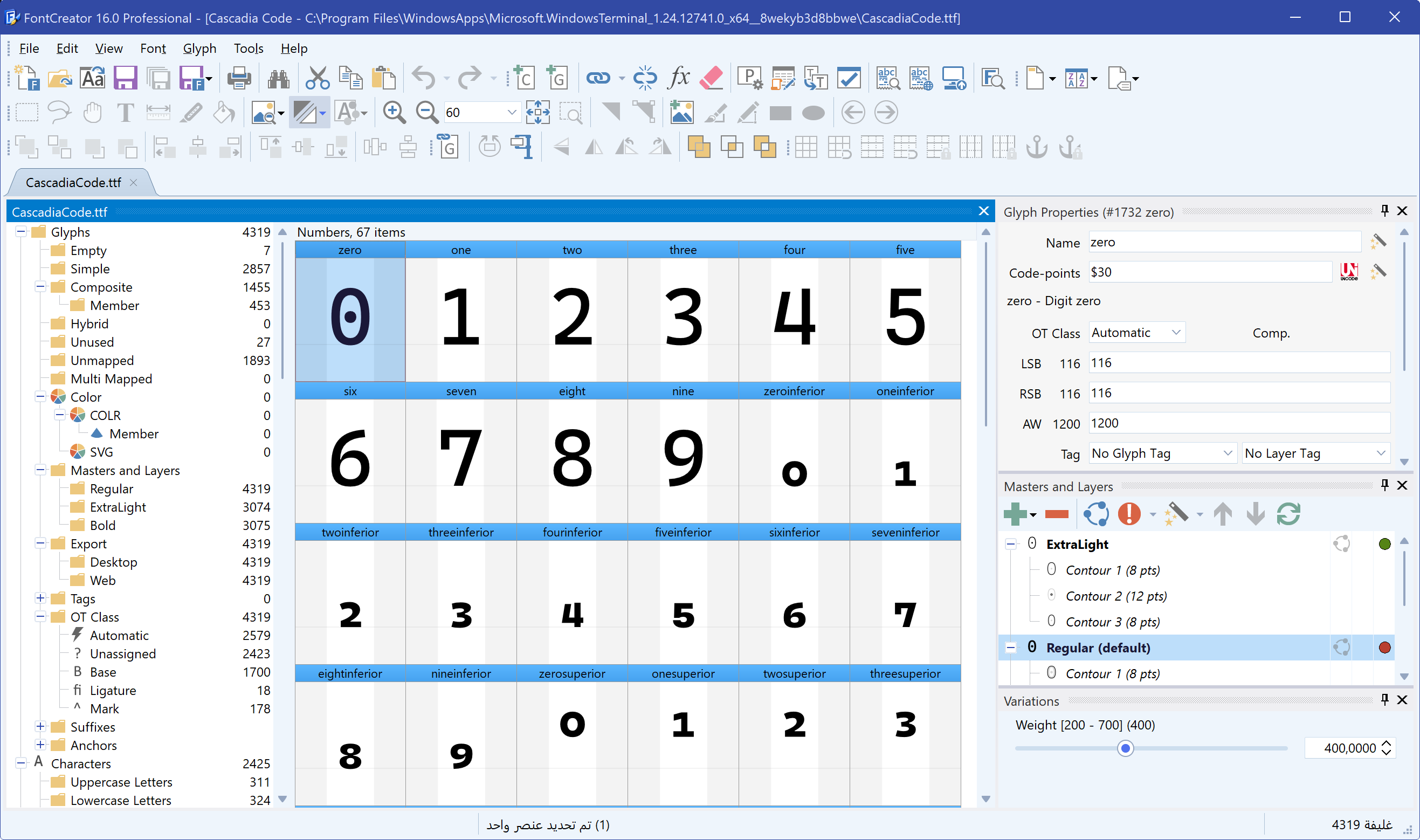
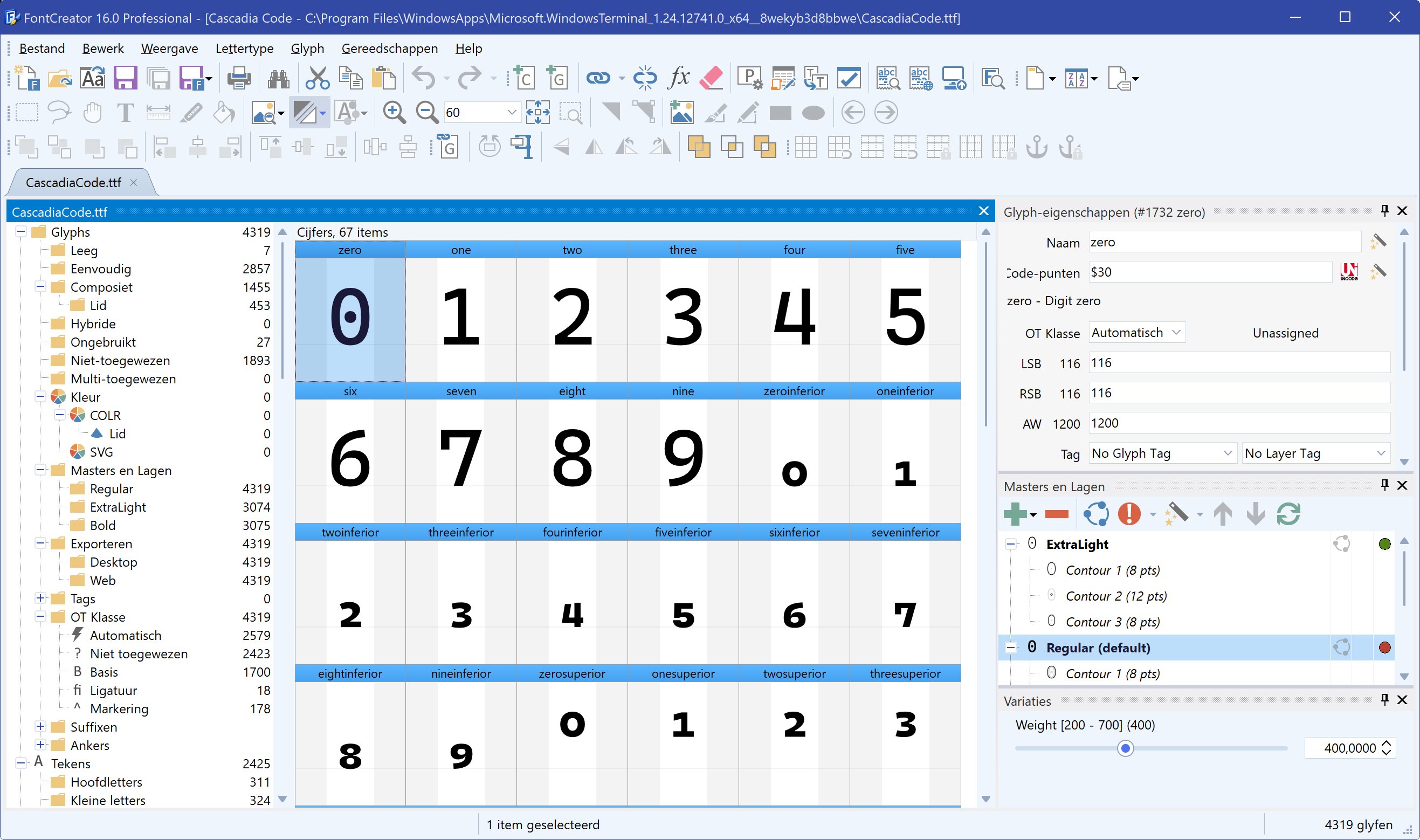
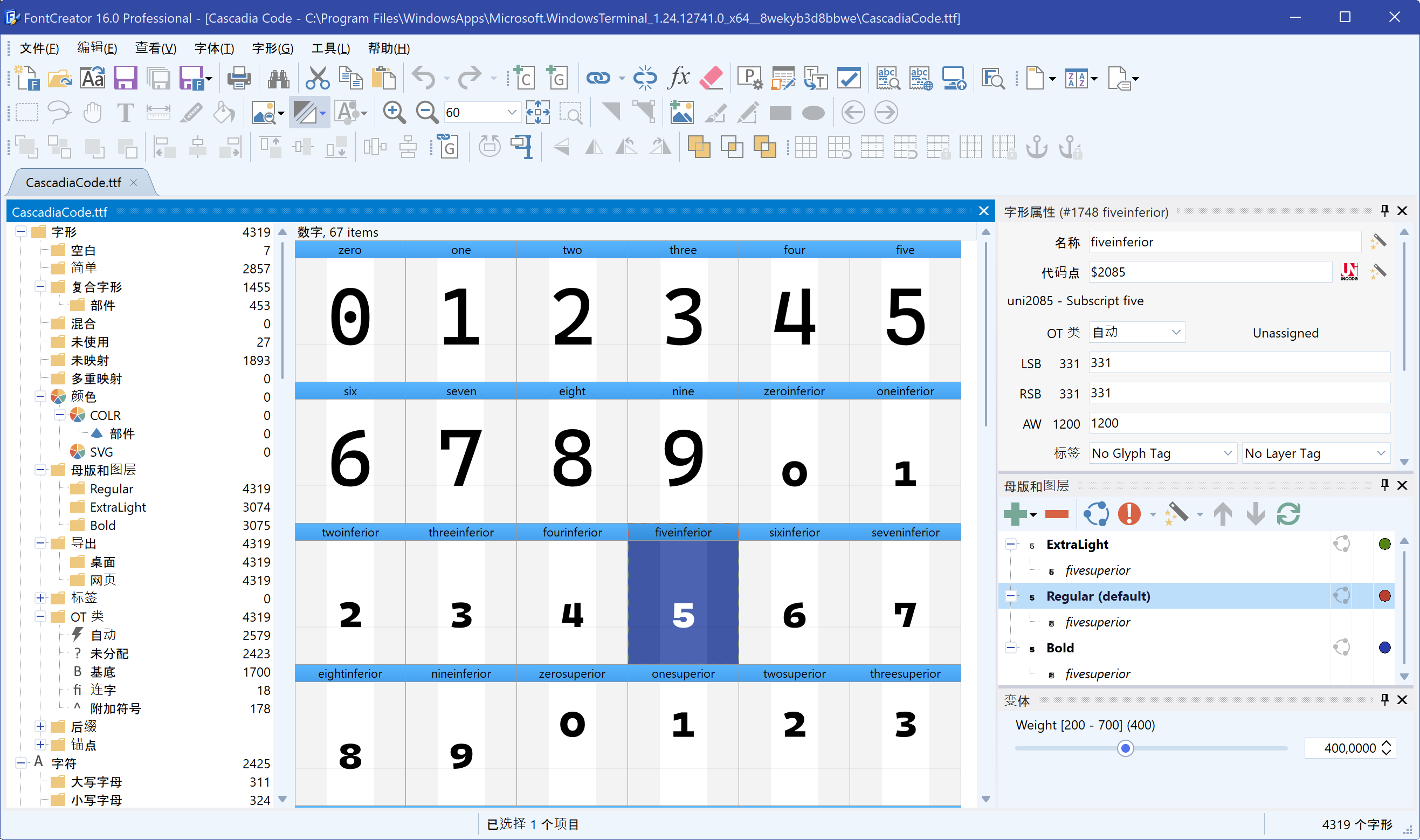
FontCreator is the font editor from High-Logic B.V. It is written entirely in Delphi, has been downloaded more than five million times and ships in 17 languages, including Arabic and Hebrew, Japanese, Korean and both Chinese scripts. The Windows version is a VCL application with 88 forms. The macOS version is built with FireMonkey.
All of those languages run on TMS FNC Localization. That is no coincidence: the product grew out of the localization layer that High-Logic built for FontCreator, and developer Erwin Denissen shaped it together with TMS. This customer story covers how High-Logic set it up, what they prepared before translating and how it performs.

In this customer story
- The challenge
- Building it together with TMS
- How the parts fit together
- Collecting the text
- Choosing the languages
- Forms that are ready for every language
- Text in code: snippets
- Resource strings and message dialogs
- Translating with AI
- What a release ships
- Performance
- The results
- Erwin’s advice: start with one form
The challenge
High-Logic had localized FontCreator for years with a layer Erwin wrote himself: a folder of language files and a manager that walked each form and replaced its string properties. It did the job, but it had no editor and no tooling, and no other Delphi developer could use it.
And FontCreator is not a small application. Every language holds about 3,850 translatable strings. The macOS version has its own forms, with different property names than the VCL version. Each language has its own plural rules, and Arabic and Hebrew run right to left.
“Many of our users do not read English, and those who do still read their own language faster and with less effort.”
Erwin Denissen, High-Logic B.V.
Building it together with TMS
Instead of keeping the layer to themselves, Erwin contacted Bruno at TMS. Together they took what High-Logic had, improved it and turned it into TMS FNC Localization, a product every Delphi developer can use. FontCreator now runs on it, on Windows and on macOS.
“It was not designed in the abstract. Every part of it exists because a real application needed it.”
Erwin Denissen, High-Logic B.V.
How the parts fit together
FontCreator carries one component: the localizer, on the main form. That is what the shipped application contains. The Localization Editor opens from the right-click menu of a form in the IDE. TMS FNC Localization also has a collector component that holds the editor’s settings for a project, but FontCreator does not need one.
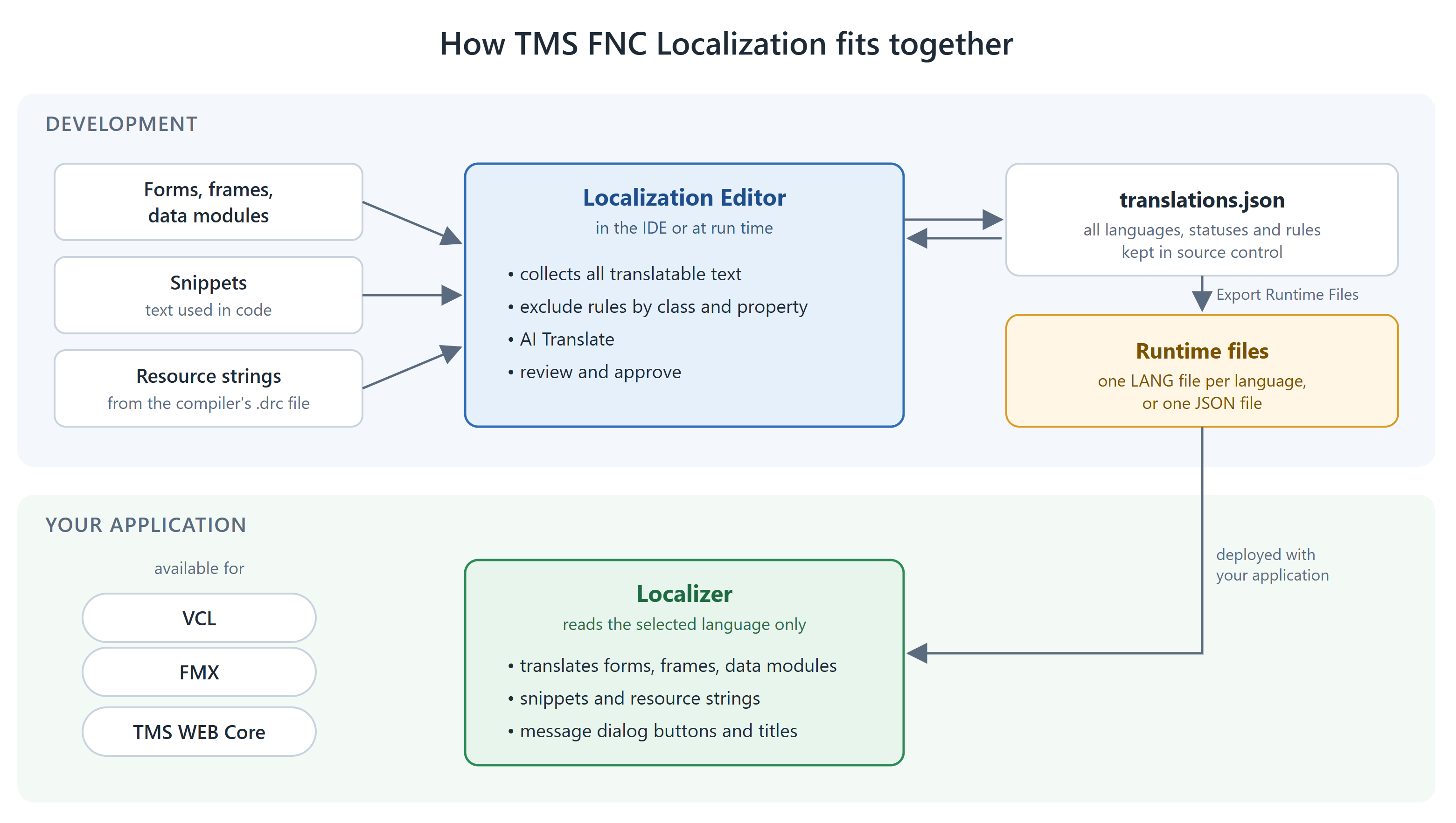
Collecting the text
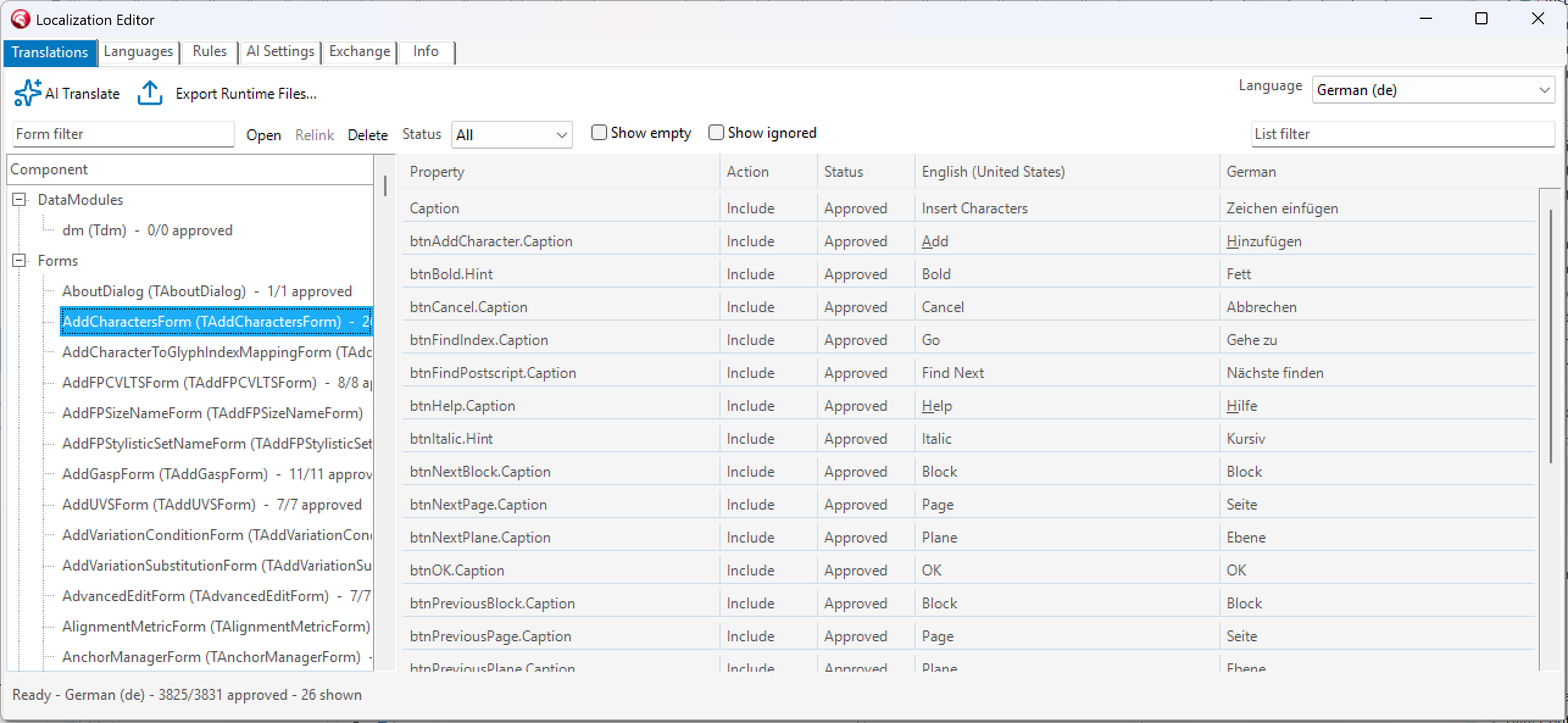
The editor walks the forms the project declares and builds a model of every translatable property it finds. On a real application the first run finds far more than the visible text, because many string properties are never read by a user: internal keys, format strings and names that happen to be published. Exclusion rules by class and by property filter those out. For FontCreator, writing the rules took about an hour, and everything after that was review.
Lists that the application fills at run time are the other source of noise. FontCreator’s font properties page has a combo box with more than 1,400 vendor IDs that must not be translated. From the grid you can ignore a whole list, component or form in one go, and anything collected below it later stays ignored too.
For the Windows version this produced:
Choosing the languages
The supported languages are a list on the editor’s Languages tab. One of them is the source language, English for FontCreator. Every other language gets a row with its name, a language tag such as nl, de or zh-CN, and its plural rule. The tab also shows how far each translation is.
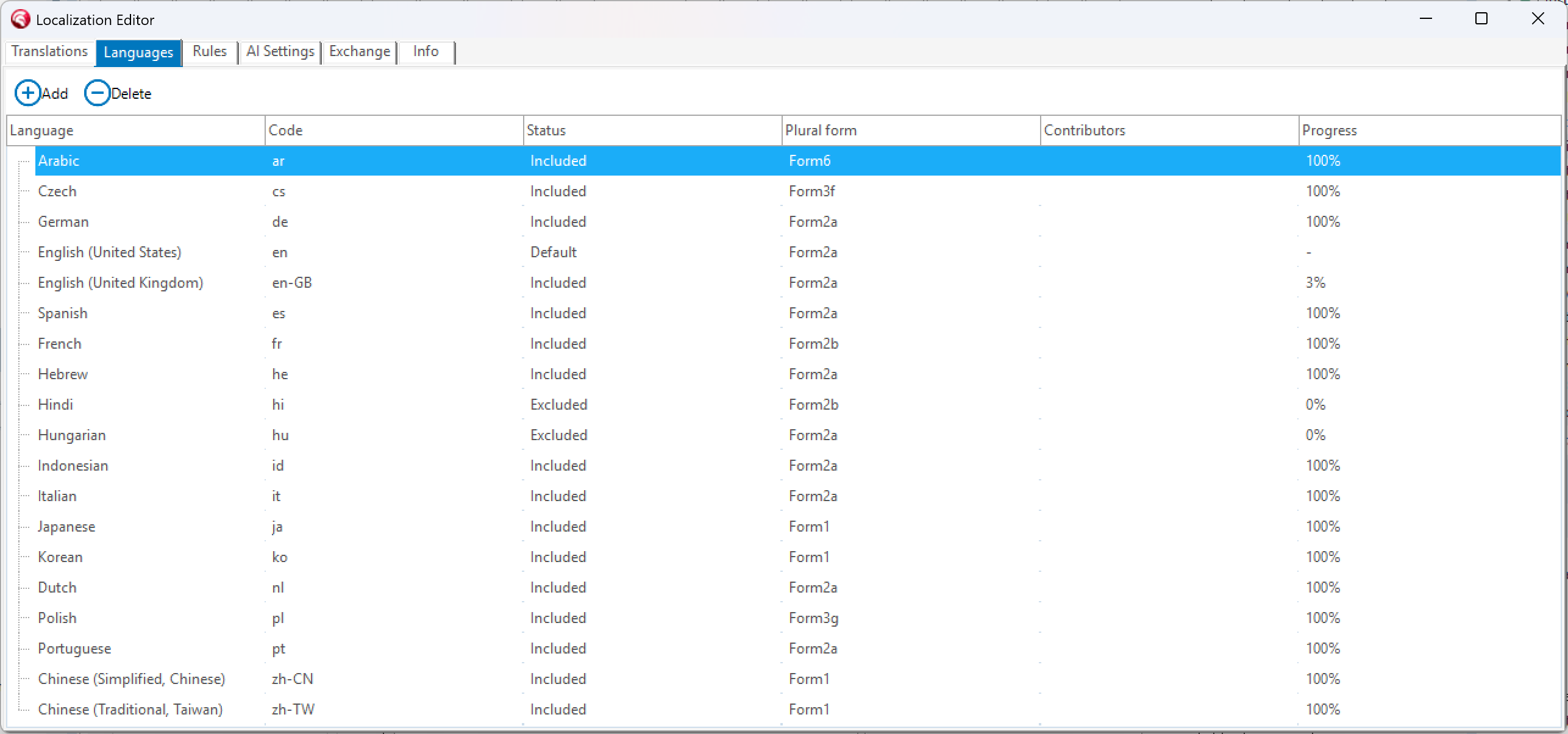
Excluded until ready
A language can be set to Excluded while its translation is not finished. It stays in the data but is not exported, so users never see a half-finished translation.
Regional variants
A variant only needs the texts that differ. FontCreator’s British English holds about 250 of them, such as “colour” and “centre”. Everything else comes from the US English source.
Forms that are ready for every language
Translated text is not the same length as English. German and Finnish run long, Chinese runs short. A form that only looks right with the English caption breaks when it is translated, and no localization component can fix that. So High-Logic prepared its forms first.
“This is the part people skip, and then blame the tool.”
Erwin Denissen, High-Logic B.V.
Labels do not auto-size
273 of the 547 labels in the VCL forms and frames have AutoSize = False with a fixed width. 234 use Layout = tlCenter and 200 use Alignment = taRightJustify, so a label stays next to its edit box whatever the length of the text. 28 have WordWrap = True where two lines are fine. In FMX, 332 of 511 labels have TextSettings.WordWrap = False and 331 have TextSettings.HorzAlign = Trailing.
Room for check boxes
Check boxes and radio buttons do not grow with their caption, so a longer translation is cut off. They get more width than English needs.
Captions only at design time
If a caption is set in the designer and overwritten in FormCreate, your own code throws the translation away. That holds for every approach that works on the component tree, so on an older codebase it is worth checking before you start.
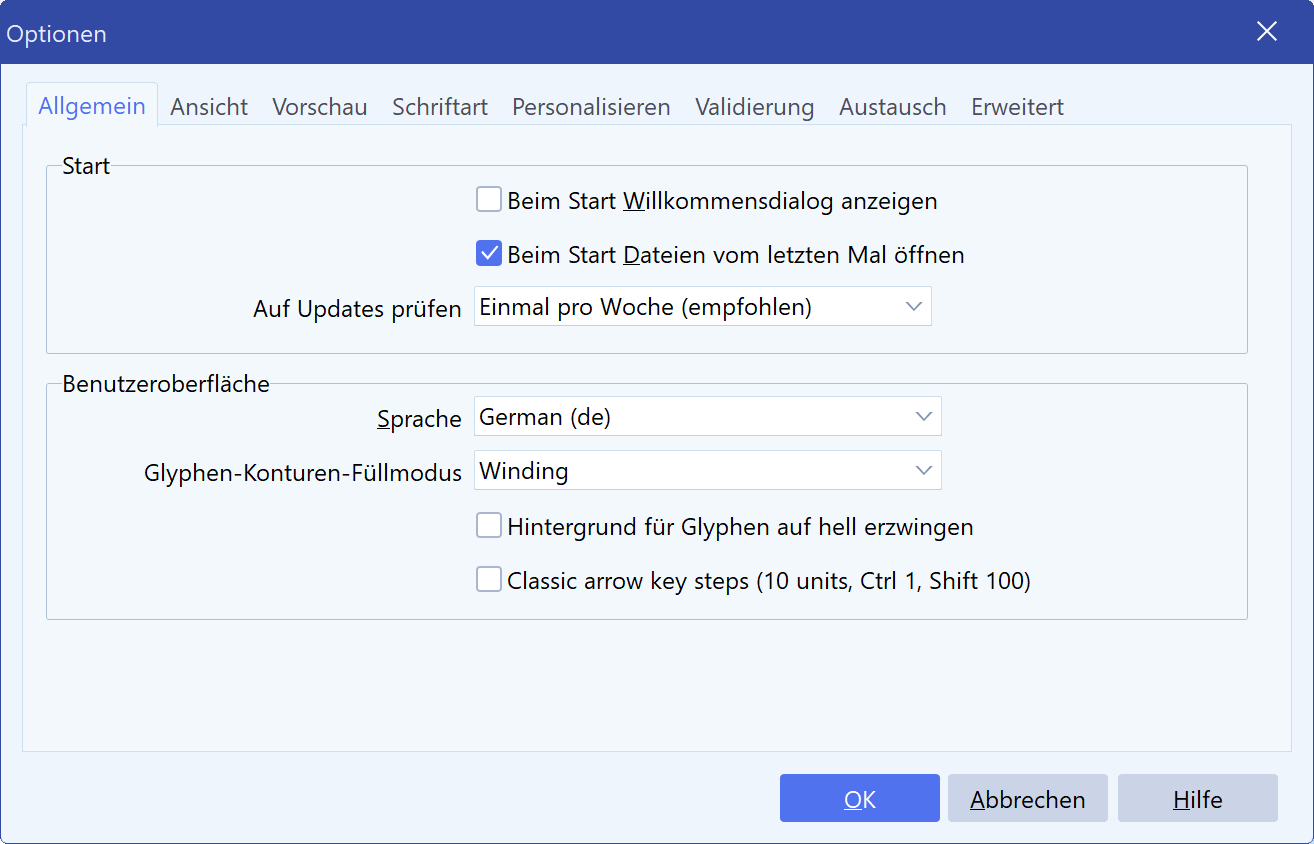
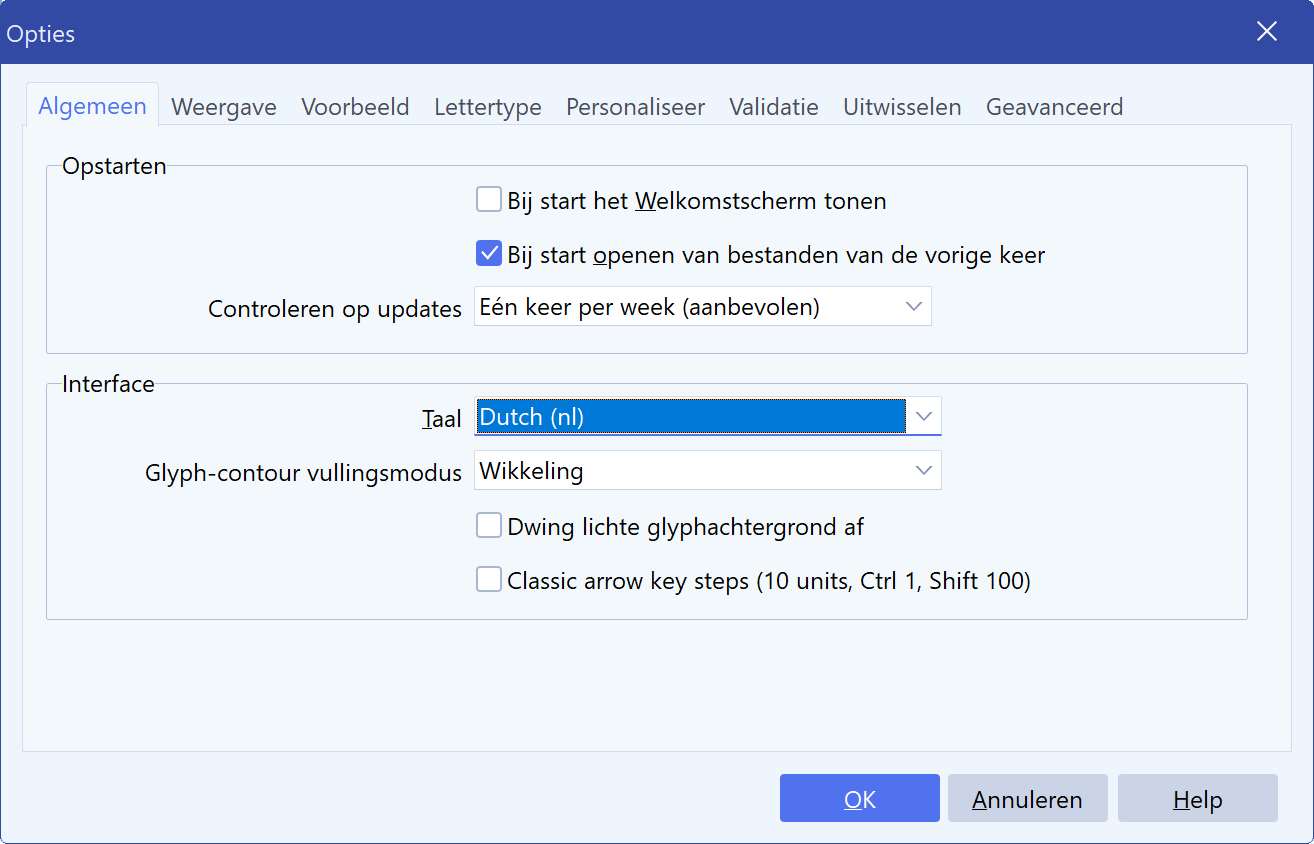
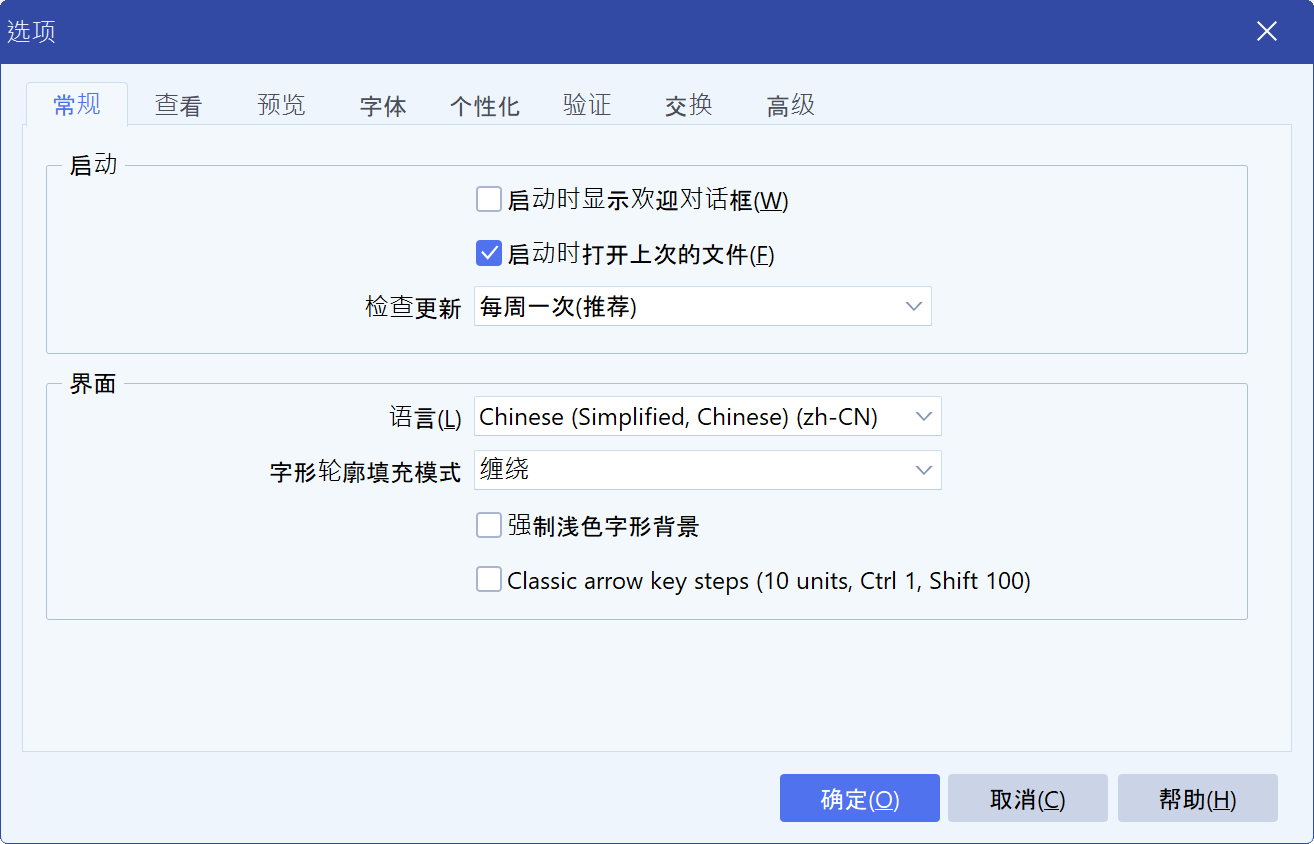
According to Erwin, an afternoon of work on this makes the rest go smoothly.
Text in code: snippets
Messages, prompts, status text and anything built at run time come from code. For that text FontCreator uses snippets: named constants with their default English text, declared once and used wherever they are needed.
SnippetGlobalTextCancelling: TTMSFNCSnippetRec =
  (Name: 'GlobalText.Cancelling'; DefaultText: 'Cancelling...');
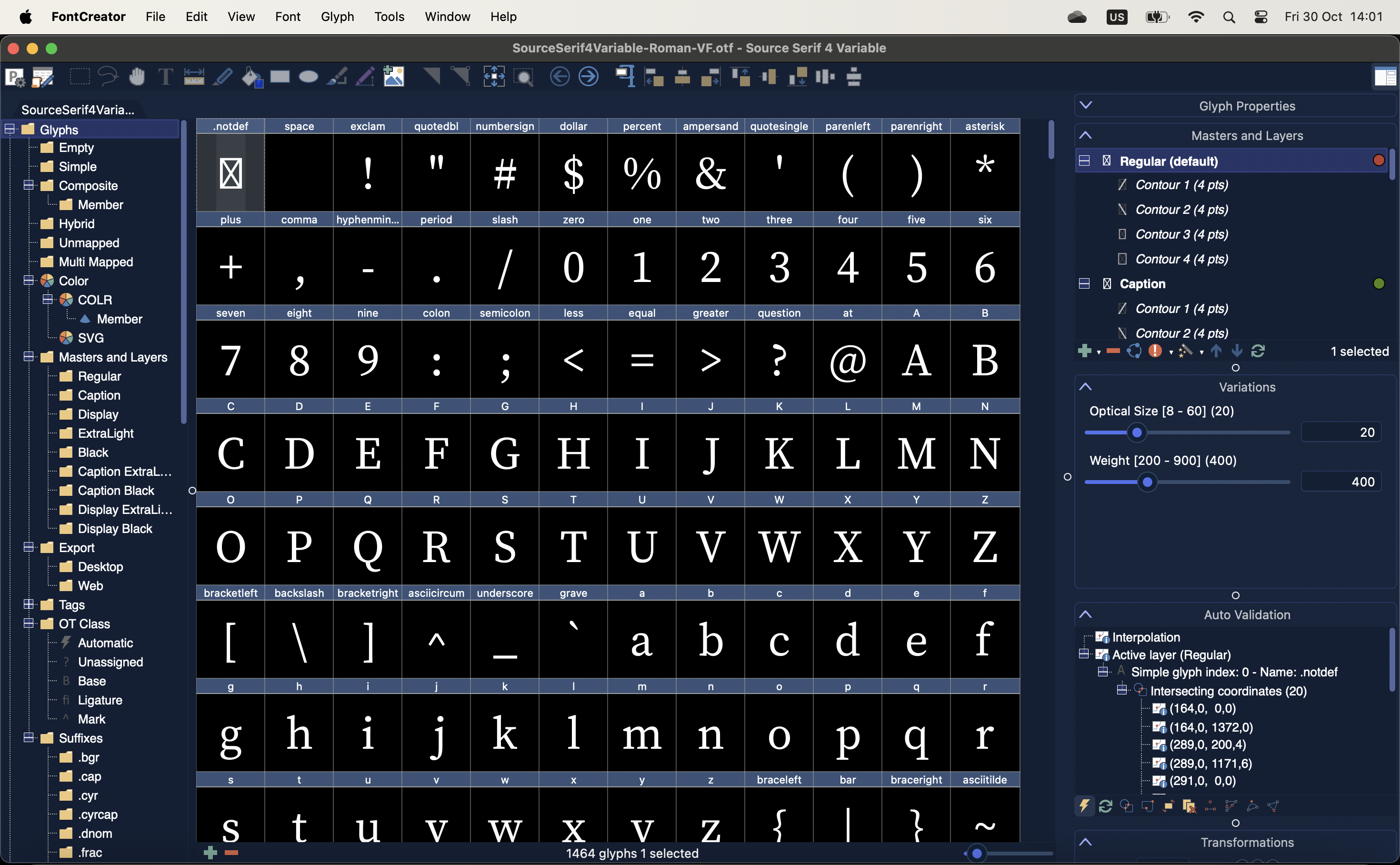
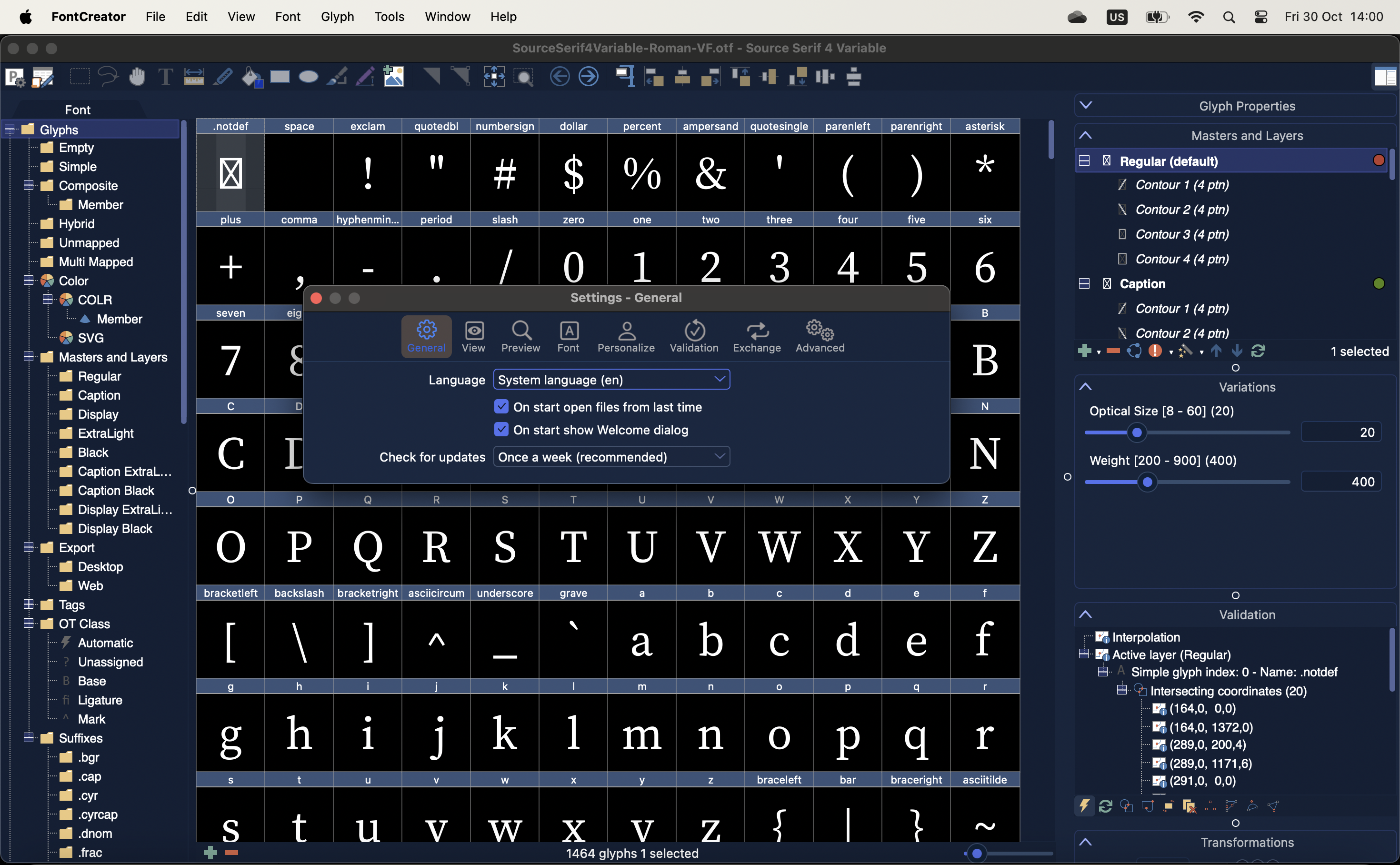
Snippets also connect the two platforms. FontCreator for Windows and FontCreator for macOS are separate projects with separate forms, and the property names differ: VCL has Caption where FMX has Text. Form translations can therefore not be shared, but snippets can, because they are keyed by name. 532 snippets exist under the same name in both versions, and their translations carry over unchanged.
Resource strings and message dialogs
Delphi’s resourcestring never had a good answer outside Windows resource DLLs, which do not work for a cross-platform application. TMS FNC Localization takes a different route.
One project option
Switch on Output resource string .drc file under Building, Delphi Compiler, Linker, and build once. The editor reads the compiler’s .drc file, so the list matches what the binary contains. At run time the strings resolve through System.LoadResStringFunc, the RTL’s own hook.
There is no code at the call site, nothing is generated into the project and no source is scanned. ShowMessage(SCannotOpenFile) is translated simply because SCannotOpenFile is a resourcestring, on Windows and macOS from the same files. Two resourcestrings with the same English text stay separate, so an Open in a menu and an Open in a dialog title can get different Dutch words.
The same hook covers the standard message dialogs. VCL builds their buttons and titles from resourcestrings in Vcl.Consts, which the localizer ties to a shared set of dialog snippets, and FireMonkey asks its own translation hook, which the localizer also answers. MessageDlg, ShowMessage and InputQuery show Yes, No and Cancel in the user’s language without extra code. The exception is FireMonkey on Windows, where Windows itself supplies the standard buttons in the Windows language.
Read more about this in Translate Your Delphi Resourcestrings with TMS FNC Localization 0.9.4.0 BETA.
Translating with AI
The editor has an AI Translate button. On the AI Settings tab you pick a service and enter an API key. These services are supported, including Ollama and llama.cpp for a model on your own machine:
 OpenAI
 Claude
 Gemini
 Grok
 Mistral
 DeepSeek
 Perplexity
 OpenRouter
 Ollamallama.cpp
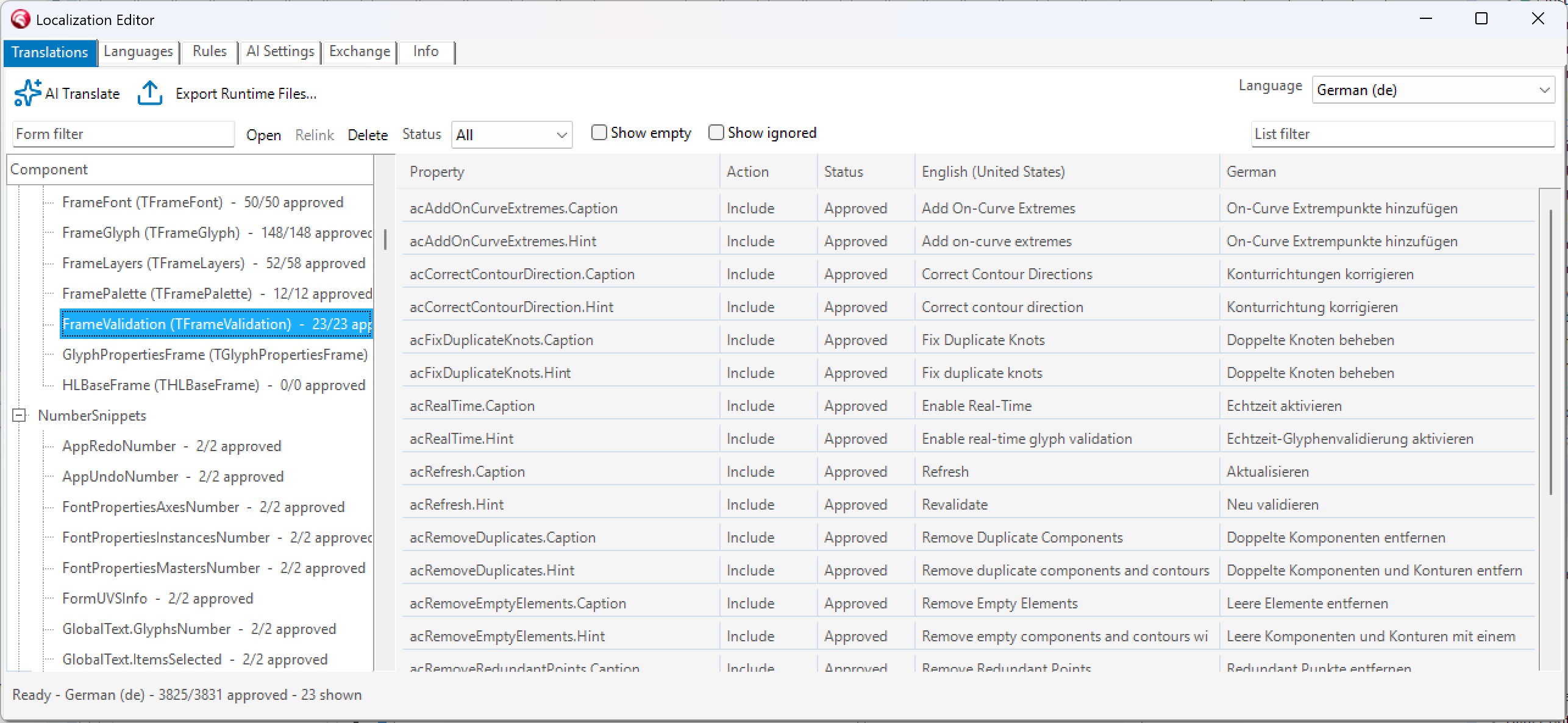
AI Translate sends everything that is not translated yet, or whose English text changed, in batches. Each text travels with its component and property name, so a “Right” on an alignment button and a “Right” in a validation message get different words. Placeholders such as %s and %d, HTML tags and & access keys are kept, and number snippets come back with the plural forms the language needs.
Review stays with you
AI results come back as Proposed, not Approved, and the localizer only uses approved translations. A translation that loses a placeholder or a tag is rejected straight away, so it can never break a Format call in the shipped application.
What a release ships
translations.json
The authoring file, kept in source control and never deployed. It holds every language, status and rule. For FontCreator it is about 7 MB, split in two: the main window in one file, the dialogs in another. The editor keeps track of which form goes where.
Runtime language files
What ships is an export. Export Runtime Files writes it next to translations.json, as one LANG file per language or as a single JSON file with all languages.
FontCreator uses LANG files of about 290 KB each. At startup the localizer reads only the header of each file to build the language list, and the full file is read only when that language is selected.
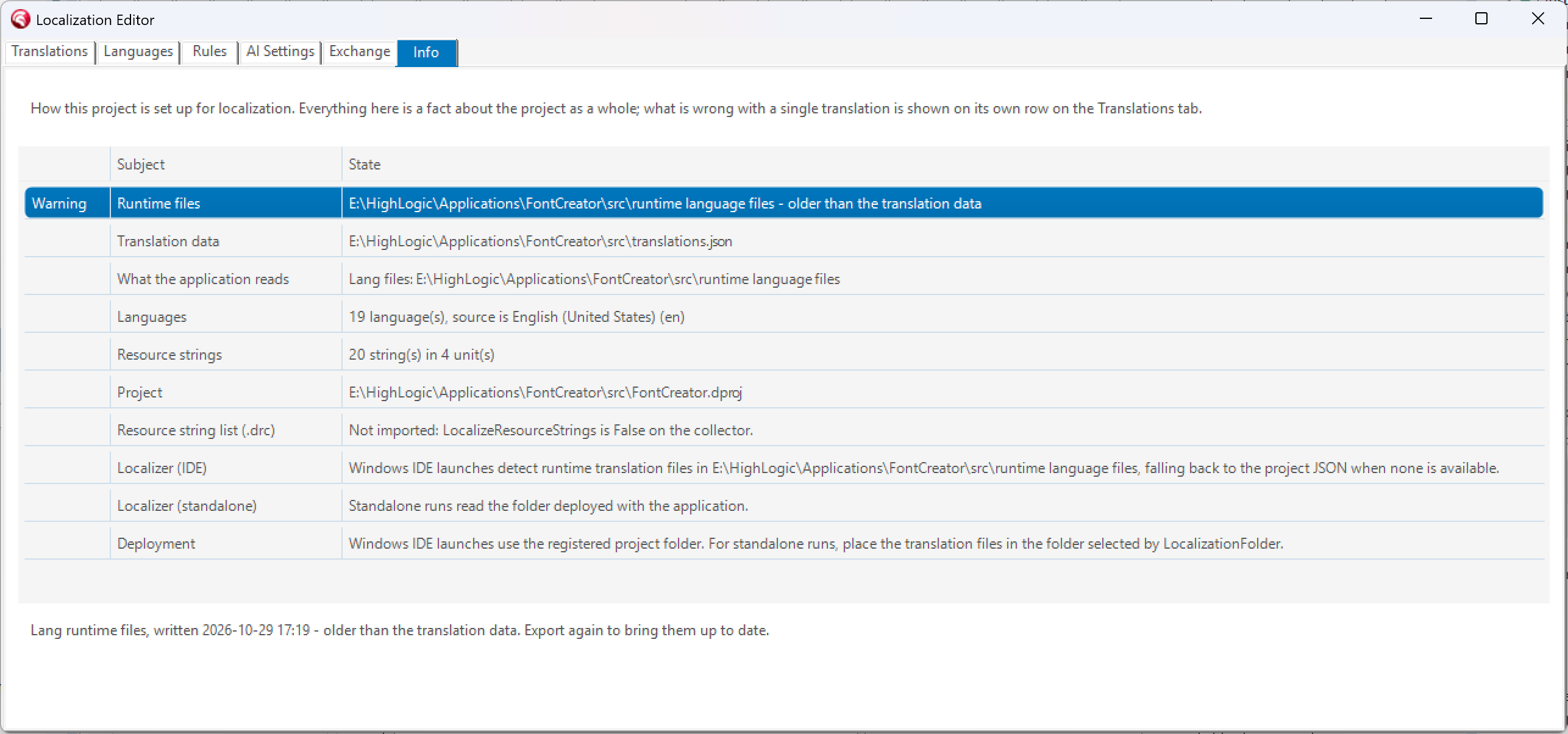
On Windows the files sit next to the executable. On macOS they go inside the application bundle, where the Deployment manager puts them. The editor’s Info tab shows, for the selected platform and build configuration, where the localizer will look, where deployment puts the files, whether those agree, and when the translations were last exported. When the application runs from the IDE, the localizer reads the exported files straight from the project’s export folder, so there is nothing to copy.
Performance
High-Logic measured a release build of FontCreator outside the IDE, with a font and three dialogs open, and took the median of seven runs:
Startup stays fast however many languages ship, because only a short header of each LANG file is read. Of the 223 ms for a language switch, about 19 ms is the localizer walking the component tree and assigning text. The rest is the VCL resizing and repainting the controls whose captions changed.
The results
FontCreator now runs entirely on TMS FNC Localization instead of the layer High-Logic once wrote for itself. It ships in 17 languages on Windows and macOS, and every language holds about 3,850 strings.
Keeping all those languages up to date has become a matter of review. Once the exclusion rules were in place, what remained was checking translations. AI Translate prepares the first pass, and 532 snippets are translated once for both platforms. Hindi and Hungarian are already set up in the editor and stay Excluded until their translations are ready.
For users, changing language is quick: a full language switch takes about 223 ms, and making all 17 languages available at startup takes 7.2 ms.
“We built this because we needed it, and it is now doing the job in an application with 88 forms, two platforms, 17 languages and five million downloads behind it.”
Erwin Denissen, High-Logic B.V.
Erwin’s advice: start with one form
Pick one form. Set the labels so they do not auto-size, give the check boxes room and check that nothing assigns a caption from code. Drop the localizer on your main form, open the editor, add your languages and write your exclusion rules. Let AI Translate do a first pass, review it, and ship that one form translated.
“The first form teaches you your own rules. After that it is mostly review.”
Erwin Denissen, High-Logic B.V.
Try TMS FNC Localization
TMS FNC Localization is available now as version 0.9.4.0 BETA and works in VCL, FMX and TMS WEB Core applications, in Delphi and C++Builder. Everything about getting started is on the product page.


Questions about localizing your own application? Let us know:
Aäron Decramer

This blog post has not received any comments yet.
All Blog Posts | Next Post | Previous Post